

ChatGPT Exporter: Save ChatGPT to Word, PDF, Docs, Notion

Overview
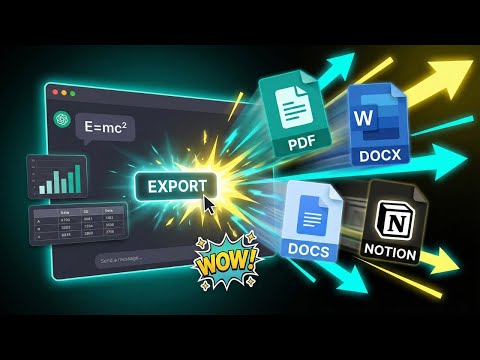
ChatGPT Exporter lets you export any ChatGPT conversation to PDF, Word, Google Docs, or Notion in just a few clicks.
ChatGPT Exporter is the fastest way to export ChatGPT conversation to PDF, Word, Google Docs, or Notion — with complete control over font, size, and text color before you export. Pull out a specific passage or export ChatGPT chat in just a few clicks. No account, no setup — install and go. ## KEY FEATURES ⚙️ ### Four formats, one ChatGPT Exporter - PDF: save ChatGPT to PDF for archiving, printing, or sharing any conversation. - Word (.docx): export ChatGPT to Word and keep editing directly from there. - Google Docs: push ChatGPT to Google Docs for instant real-time collaboration. - Notion: send ChatGPT to Notion and drop any thread straight into your workspace. ### Multi-Content Export Support - Code Blocks: Seamlessly export programming code while maintaining indentation and structure for easy reading. - Structured Tables: Export data tables from ChatGPT directly into your documents without losing the grid layout. - Images & Graphics: Automatically capture and include images or visual elements generated in your chat. - Mathematical Notations: Support for complex formulas and scientific symbols in your exported files. ### Partial or full conversation export - Highlight any section of the chat and export only that — no need to pull the entire thread. - One-click full export ChatGPT chat from start to finish. ### Typography control before you export - Select a font family that matches your document style. - Adjust font size for reading comfort or print requirements. - Set text color for branded or personalized documents. ### No account, no friction with ChatGPT Exporter - Export ChatGPT conversation in just a few clicks with zero learning curve. - No account, login, or API key required. - Runs quietly inside ChatGPT without affecting your workflow. ### Stays on your device - Every export is handled entirely inside your browser. - Your conversation data is never sent to, stored on, or processed by any external server. ## USE CASES 🎯 ### Writers and researchers Export ChatGPT chat to Word or Google Docs and keep building from there. Connect with Notion to turn any exported ChatGPT conversation into a structured knowledge base. ### Students and academics Save ChatGPT to PDF for submission, printing, or offline reference. Export ChatGPT conversation to PDF for easy citation and archiving. ### Developers and engineers Export ChatGPT chat containing code explanations and technical walkthroughs to Word or PDF for internal documentation and team distribution. ### Professionals and teams Export ChatGPT conversation to PDF or Word and get insights into colleagues' hands immediately. A dependable ChatGPT Exporter for daily professional use. ### Content creators Export ChatGPT chat to Notion or Google Docs to feed content pipelines, editorial calendars, and publishing workflows. ## HOW TO EXPORT CHATGPT CONVERSATIONS 🔍 - Step 1: Install ChatGPT Exporter from the Chrome Web Store. - Step 2: Open ChatGPT and navigate to any conversation. - Step 3: Click the Export button that appears inside the chat interface. - Step 4: Highlight a passage to export selectively, or choose to export the full ChatGPT chat. - Step 5: Set your font family, font size, and text color. - Step 6: Pick your format — ChatGPT to PDF, Word, Google Docs, or Notion. - Step 7: Click Export. Your file downloads or opens immediately. That covers everything needed to export ChatGPT conversation to PDF, send ChatGPT to Word, or push any thread to Google Docs or Notion. ## PERMISSIONS AND REQUIREMENTS 🔐 ChatGPT Exporter requests only what it actually needs: - Access to ChatGPT to read conversation content for export. - Downloads permission to write exported files to your device. - No conversation data is stored, shared, or routed to external servers. - All processing runs locally inside your browser. Your ChatGPT conversation data stays on your device. Requirements: - An active session on ChatGPT. - No API key or account changes required. ## WHY THIS EXTENSION 🚀 - Multi-Format Export: Export ChatGPT chat to four formats from one tool: PDF, Word, Google Docs, and Notion. - Diverse Content Support: Seamlessly export complex elements including tables, code blocks, images, and mathematical formulas without losing formatting. - Fully Customizable: The only ChatGPT Exporter on the Chrome Web Store with full font and color customization before export. - Flexible scope: export a single passage or the entire ChatGPT conversation. - No account required: install ChatGPT Exporter and export in under 60 seconds. - Privacy First: Fully local processing keeps every exported ChatGPT chat private on your device. - Always Compatible: Regularly updated to stay in sync with the latest ChatGPT interface changes. ## FREQUENTLY ASKED QUESTIONS ❓ ### Is ChatGPT Exporter free? Yes. ChatGPT Exporter is free and includes 10 full conversation exports and 15 single exports per month. ### Do I need an account to use ChatGPT Exporter? No account needed. Install ChatGPT Exporter and start exporting immediately. ### Can I export ChatGPT chat to Google Docs or Notion? Yes. ChatGPT Exporter supports ChatGPT to Google Docs and ChatGPT to Notion alongside PDF and Word — all from the same interface. ### Can I export only part of a ChatGPT conversation? Yes. Select any passage for a partial export, or export the full ChatGPT chat — your choice. ### Can I customize the output before exporting? Yes. Font family, font size, and text color are all configurable before the export runs. ### Is my data safe when I export ChatGPT conversation? Yes. No data is ever uploaded, stored, or shared. ChatGPT Exporter processes everything locally inside Chrome. ## IMPORTANT LINKS 📌 - Official Website: https://backrun.co/export-chatgpt-conversation - Support and Feedback: hi@backrun.co - Privacy Policy: https://backrun.co/export/chatgpt/privacy-policy.html - Report a Bug or Request a Feature: https://backrun.co/export/chatgpt/contact.php ## CHANGELOG 🔄 ### Version 1.0.0 — Initial Release - Export ChatGPT conversation to PDF, Word, Google Docs, and Notion. - Select individual passages or export the full ChatGPT chat. - Font family, font size, and text color customization before export. - 100% local processing with no data stored or transmitted. ### Version 1.1.0 - New Format: Added "Export to Email" feature to send chats directly to your inbox. - Bug Fix: Resolved issues with mathematical formulas and LaTeX rendering. ### Version 1.2.0 - Free Tier Update: Increased monthly allowance to 5 full conversation exports and 7 single-passage exports. - Enhanced UX: Added "contextMenus" support for quicker access. - Security & Privacy Optimization: Removed unnecessary host permissions (backrun.co and api.notion.com). ### Version 1.2.33 - Free Tier Update: Increased monthly allowance to 10 full conversation exports and 15 single-message exports. - Bug Fix: Full conversation & selective mode. ### Version 1.2.34 - Bug Fix: Math formulas export correctly in Word, PDF, and Notion. - Free Tier Update: 7 full exports and 10 single-message exports per month (was 10 and 15). ## DISCLAIMER ⚠️ ChatGPT Exporter is an independent third-party tool and is not affiliated with, endorsed by, or sponsored by OpenAI. "ChatGPT" is a registered trademark of OpenAI, L.L.C. "Google Docs" and "Google Drive" are registered trademarks of Google LLC. "Notion" is a registered trademark of Notion Labs, Inc. This extension does not participate in any affiliate program operated by these companies and receives no compensation from them.
4.3 out of 532 ratings
Details
- Version1.2.40
- UpdatedOctober 2, 2026
- Size106KiB
- Languages10 languages
- DeveloperWebsite
Email
info@slimsoft.vn - Non-traderThis developer has not identified itself as a trader. For consumers in the European Union, please note that consumer rights do not apply to contracts between you and this developer.
Privacy

ChatGPT Exporter: Save ChatGPT to Word, PDF, Docs, Notion has disclosed the following information regarding the collection and usage of your data. More detailed information can be found in the developer's privacy policy.
ChatGPT Exporter: Save ChatGPT to Word, PDF, Docs, Notion handles the following:
This developer declares that your data is
- Not being sold to third parties, outside of the approved use cases
- Not being used or transferred for purposes that are unrelated to the item's core functionality
- Not being used or transferred to determine creditworthiness or for lending purposes
Support
For help with questions, suggestions, or problems, visit the developer's support site