

ChatGPT Exporter: Save ChatGPT to PDF, Word & Markdown

Overview
Export any ChatGPT conversation to a clean, shareable file. Pick the messages you want, customize the layout, stay private.
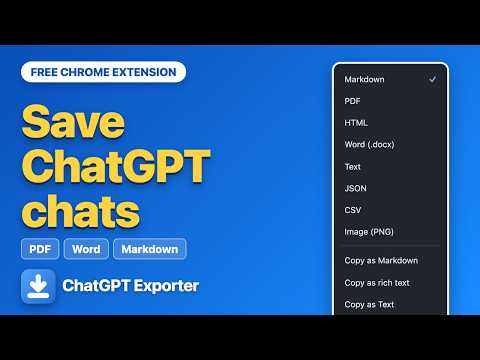
ChatGPT Exporter adds an Export button to chatgpt.com so you can save any conversation as a tidy, shareable file. Open a chat, click Export, pick a format, and your file downloads right away. Eight formats are supported, including PDF, Word and Markdown. KEY FEATURES Export what you need • Tick individual messages or Shift+click to select a range • Presets for questions only, answers only, everything, none, or invert • Export many chats together as a single ZIP Content stays intact • Code blocks keep their language, and tables stay tables • Math formulas, images and links come through as they appear in the chat • Web-search sources and Deep Research citations become a numbered source list • Canvas documents and the model's reasoning can each be included or hidden PDFs your way • Page size and orientation, margins, light or dark theme • Font family and size, page numbers, table of contents • Start every prompt on a new page, wrap long code lines • Your name, dates and per-message timestamps in the header Copy instead of download • Send the conversation to your clipboard and paste it into Google Docs, Word or Notion Make it yours • Name files with your own template and save into a sub-folder • Set your own labels for you and the AI • Right-click menu and keyboard shortcuts: Alt+Shift+S to select, Alt+Shift+E to export, Alt+Shift+P for a PDF • Interface in English, Spanish, French, German, Portuguese, Hindi, Chinese and Japanese PRIVATE BY DESIGN Conversations are converted inside your browser and are not sent to our servers. There are no ads, no analytics and no remote code. An optional account only checks your plan status. FREE TO START The free plan includes a monthly allowance of exports. An optional account on chatgptexporterfree.com unlocks unlimited exports. WHO IT HELPS • Professionals keeping brainstorms and client work as polished files • Students archiving study sessions with sources, formulas and tables • Developers keeping code with its language, or exporting data for analysis • Writers sending drafts to their favorite documents app HOW TO USE 1. Open a conversation on chatgpt.com. 2. Click EXPORT to choose a format, or SELECT to choose messages. 3. Your file downloads instantly. Questions? Visit https://chatgptexporterfree.com/help or write to support@chatgptexporterfree.com. ChatGPT Exporter is an independent tool, not affiliated with, endorsed by or sponsored by OpenAI. ChatGPT is a trademark of OpenAI.
0 out of 5No ratings
Details
- Version1.1.2
- UpdatedOctober 14, 2026
- FeaturesOffers in-app purchases
- Size428KiB
- LanguagesEnglish
- DeveloperWebsite
Email
support@chatgptexporterfree.com - Non-traderThis developer has not identified itself as a trader. For consumers in the European Union, please note that consumer rights do not apply to contracts between you and this developer.
Privacy

ChatGPT Exporter: Save ChatGPT to PDF, Word & Markdown has disclosed the following information regarding the collection and usage of your data. More detailed information can be found in the developer's privacy policy.
ChatGPT Exporter: Save ChatGPT to PDF, Word & Markdown handles the following:
This developer declares that your data is
- Not being sold to third parties, outside of the approved use cases
- Not being used or transferred for purposes that are unrelated to the item's core functionality
- Not being used or transferred to determine creditworthiness or for lending purposes
Support
For help with questions, suggestions, or problems, please open this page on your desktop browser