

ChatGPT Conversation Booster - Bookmarks & More

Overview
Turns ChatGPT's never-ending wall of text into bite-sized, scroll-friendly chunks that can make things feel smoother in longer chats
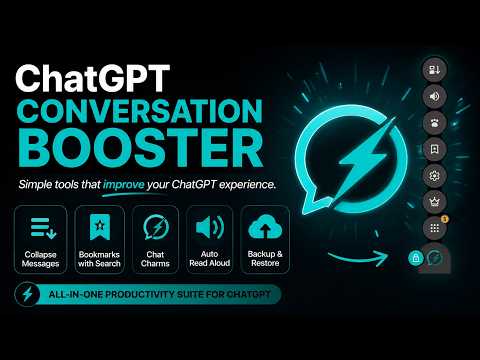
Collapse long ChatGPT replies, bookmark and search useful answers, and listen to responses hands-free. ChatGPT Conversation Booster is a lightweight Chrome extension that puts these tools directly in your conversations. COLLAPSE LONG CHATGPT MESSAGES Turn long messages into short previews so you can scan conversations and find the part you need. Set the preview length and expand any message with one click. BOOKMARK AND SEARCH CHATGPT RESPONSES Save useful answers with one click. Bookmarks are automatically grouped by project and linked to their original conversations. Search your saved responses and open a snapshot of the answer when you need it. REUSE CUSTOM PROMPTS WITH CHAT CHARMS Save instructions you use often, like “Keep responses short” or “Explain with examples.” Turn on a Chat Charm to apply it to each new prompt until you switch it off. LISTEN WITH AUTO READ ALOUD Have ChatGPT read new responses aloud automatically. Use the waveform to see playback progress and click to jump to a specific point. Adjust Read Aloud volume independently of your system volume. BACK UP AND RESTORE YOUR DATA Create a backup of your Conversation Booster data, save it wherever you choose, and restore it when needed.
5 out of 52 ratings
Details
- Version2.0.0.58
- UpdatedNovember 12, 2026
- FeaturesOffers in-app purchases
- Size151KiB
- LanguagesEnglish
- DeveloperYellow Sparks LtdWebsite
71-75 Shelton Street London WC2H 9JQ GBEmail
support@yellowsparks.comPhone
+44 7468 647112 - TraderThis developer has identified itself as a trader per the definition from the European Union and committed to only offer products or services that comply with EU laws.
- D-U-N-S220458527
Privacy

ChatGPT Conversation Booster - Bookmarks & More has disclosed the following information regarding the collection and usage of your data. More detailed information can be found in the developer's privacy policy.
ChatGPT Conversation Booster - Bookmarks & More handles the following:
This developer declares that your data is
- Not being sold to third parties, outside of the approved use cases
- Not being used or transferred for purposes that are unrelated to the item's core functionality
- Not being used or transferred to determine creditworthiness or for lending purposes
Support
For help with questions, suggestions, or problems, visit the developer's support site