

ChatGPT, Claude & Gemini to PDF, Markdown & Image — Folio Press

Overview
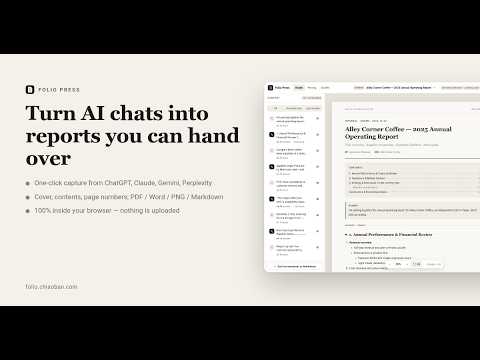
Export ChatGPT, Claude, Gemini & Perplexity chats into client-ready PDF reports, 3x PNG cards & Markdown. 100% local, zero cloud.
Turn your AI conversations into A4 reports you can hand to a client, a manager or a professor — in one click. You spent an hour working something out with an AI, and what you have to show for it is a column of chat bubbles. Folio Press sends the whole thread to a typesetting studio: it adds a cover, a table of contents and page numbers, hides your prompts so only the answers remain, applies a print-grade layout, and exports your finished layout to standard formats like high-quality PDFs, editable Word documents, or image files. ■ How it worksOn your AI conversation page, click “Send to Folio Press” in the bottom-right corner or press Alt+Shift+E.The studio opens with the conversation already laid out on A4 pages.Pick the turns to keep in the left panel (for example “Answers only”); choose a theme and switch on the table of contents in the right panel.Export your document seamlessly into your preferred format, such as PDF or Word. ■ Typesetting • Real A4 / Letter pagination: tables, code blocks and images are never cut at the page edge. • Automatic cover (title, subtitle, author, organisation), table of contents with correct page numbers, running headers and footers. • Edit on the page: click any paragraph to rewrite it, hide a paragraph, reorder turns. • Hide prompts in one click, keep only the last answer, turn off the “Prompt / Answer” labels. • Keeps the tables, code, math (LaTeX), links and images from the original conversation. • Six themes: 00 Chat Transcript, 01 Swiss Corporate, 02 Seongsu Ivory study sheet, 03 Tokyo Magazine, 04 Financial Briefing, 05 Oxford Academic. • You can also paste Markdown, JSON or plain-text dialogue directly — the extension capture is optional. ■ 100% inside your browser No servers, no accounts, no tracking. Conversations live only in Chrome’s local storage on your machine, and exported files are written straight to your computer. The only outbound request is the license check with our payment provider Lemon Squeezy after you buy Pro. Privacy policy: https://folio-en.chiaoban.com/privacy ■ Free and Pro The free studio produces complete reports: capture, hide prompts, pick turns, edit on the page, the Chat Transcript theme, unlimited PDF / HTML / Markdown export (with a small footer credit), plus 3 trial exports each for Word and PNG. Every Pro feature can be previewed; you are only asked to unlock when you export the document. Pro is a one-time purchase, not a subscription: the other five print themes, the table of contents, hidden prompt/answer labels, no footer credit, unlimited Word and PNG. 7-day no-questions refund; one key works in 2 browser environments. A monthly plan is available for short projects. ■ Who it is for Consultants and freelancers delivering research, students and teachers turning Deep Research into study sheets, product and marketing teams archiving AI discussions as decision records — anyone who is done pasting chat screenshots into slides. Shortcuts: Alt+Shift+P opens the studio, Alt+Shift+E captures the current conversation. Website: https://folio-en.chiaoban.com
5 out of 54 ratings
Details
- Version1.0.1
- UpdatedOctober 26, 2026
- Size568KiB
- Languages4 languages
- Developer
- Non-traderThis developer has not identified itself as a trader. For consumers in the European Union, please note that consumer rights do not apply to contracts between you and this developer.
Privacy

This developer declares that your data is
- Not being sold to third parties, outside of the approved use cases
- Not being used or transferred for purposes that are unrelated to the item's core functionality
- Not being used or transferred to determine creditworthiness or for lending purposes