

ChatGPT Chat Exporter
10 ratings
)

Overview
Easily export and save your ChatGPT conversations to various document formats for offline reading.
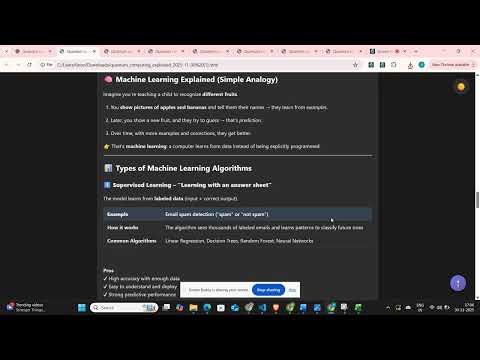
⚠️ You may see a Chrome safety alert during install. This extension runs 100% locally — no backend, no data collection, ever. ❌ Do not use the system theme. Use either Dark or Light theme for best results, as shown in the video preview. 🚀 The Ultimate ChatGPT Export Tool Transform your valuable ChatGPT conversations into professional documents with our powerful, feature-rich extension. Whether you need to save research, preserve important discussions, or share insights with others, we've got you covered with 7 different export formats! ⭐ Key Features 📄 Multiple Export Formats: - PDF - Authentic ChatGPT styling with dark theme - HTML - Web-ready format with full formatting - Markdown - Developer-friendly with code blocks - DOCX - Microsoft Word compatible documents - CSV - Spreadsheet-ready data export 🎨 Authentic ChatGPT Styling: - Preserves original dark theme appearance - Maintains conversation flow and formatting - Includes user and ChatGPT avatars - Code syntax highlighting preserved ⚙️ Advanced Export Options: - Message Selection - Export all, specific range, or custom selection - Timestamp Control - Include/exclude conversation timestamps - Metadata Preservation - Conversation titles, dates, and context - Custom Formatting - Professional document layouts 🔧 Smart Features: - Visual Message Selection - Click checkboxes to choose messages - Range Export - Export messages 1-50, 10-100, etc. - Batch Processing - Handle long conversations efficiently - Error Recovery - Robust export process with fallbacks 💝 Why Choose Our Extension? ✅ No need to pay single penny - No subscriptions, no hidden fees - All features available to everyone - No limitations on export count ✅ Privacy First - No data collection or tracking - Everything processed locally - Your conversations stay private ✅ Professional Quality - High-fidelity export preservation - Professional document formatting - Enterprise-ready output ✅ Developer Friendly - JSON export for data analysis - Markdown for documentation - CSV for spreadsheet analysis 🎯 Perfect For: 📚 Researchers & Students - Save important research conversations - Create study materials from ChatGPT sessions - Archive learning discussions 💼 Professionals - Document brainstorming sessions - Preserve client consultation notes - Create professional reports 👨💻 Developers - Export code discussions and solutions - Save debugging conversations - Create technical documentation 📝 Content Creators - Transform ChatGPT ideas into articles - Save creative writing sessions - Preserve research conversations 🚀 How to Use: 1. Install the extension from Chrome Web Store 2. Navigate to any ChatGPT conversation 3. Click the extension icon in your toolbar 4. Choose your preferred export format 5. Select which messages to include (optional) 6. Download your professionally formatted document 🔒 Security & Privacy: - No Server Communication - Everything processed in your browser - No Data Storage - We don't save or access your conversations - Local Processing - All exports happen on your device - Open Source Friendly - Transparent functionality 🎁 Bonus Features: - Coffee Support - Optional way to support continued development - Regular Updates - New features added frequently - Cross-Platform - Works on Windows, Mac, Linux Chrome browsers - Fast Performance - Optimized for speed and reliability Download now and start preserving your valuable ChatGPT conversations in professional formats! This extension is not affiliated with OpenAI or ChatGPT. It's an independent tool designed to enhance your ChatGPT experience.
4.6 out of 510 ratings
Details
- Version1.0.4
- UpdatedJune 23, 2026
- Offered byuseme
- Size562KiB
- LanguagesEnglish
- Developer
Email
farooksecrets5@gmail.com - Non-traderThis developer has not identified itself as a trader. For consumers in the European Union, please note that consumer rights do not apply to contracts between you and this developer.
Privacy

This developer declares that your data is
- Not being sold to third parties, outside of the approved use cases
- Not being used or transferred for purposes that are unrelated to the item's core functionality
- Not being used or transferred to determine creditworthiness or for lending purposes