


概述
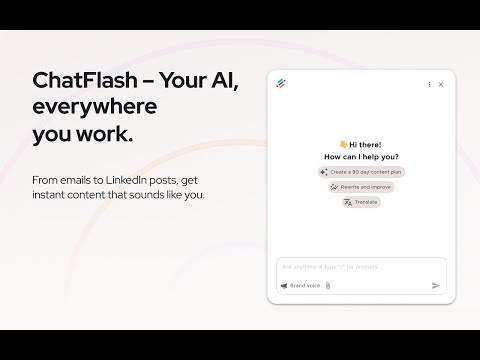
Write on-brand content anywhere on the web. ChatFlash brings your Brand Voice and AI chat to every site you visit.
Tired of switching between AI tools, crafting the perfect prompt, then copy-pasting results into Facebook, X, Webflow, and beyond? ChatFlash brings AI directly to your cursor — wherever you work. Create social posts, reply to emails, refine website copy, all without leaving the page. No more tab-switching. No more copy-paste. The extension connects to your neuroflash account, so you pick up right where you left off. The secret weapons? Brand Voice, Audience Context, and your saved prompts. Everything ChatFlash writes matches your tonality and messaging guidelines.Attach your audience information so every output is tailored to the people you're actually trying to reach. And access your prompt library instantly with / — no retyping your best workflows. What can you do with it? ✏️ Rewrite & repurpose content Highlight any text and tell ChatFlash what to do: "Summarize this in 3 bullet points." Done. 📧 Draft email replies in seconds Let ChatFlash read the thread and craft the perfect response — in your brand's tone of voice. 📱 Create social content on the spot Open the extension on any platform, describe what you need, and get on-brand copy instantly. 🌐 Use the page as context ChatFlash can read the current page — analyze, summarize, or respond to what's already in front of you. No copying required. ⚡ Access your prompts with / Type / to pull up your saved prompts and reuse your best-performing workflows in seconds. ⭐ Brainstorm without breaking flow Generate ideas on any website — no tool-switching, no lost momentum. ChatFlash + Brand Voice = your AI assistant that speaks your language, to the right audience. Every time, everywhere.
3.2 星(5 星制)11 个评分
详情
隐私权

“ChatFlash – AI Writing Assistant with Brand Voice”已就收集和使用用户数据披露了以下信息。 如需了解详情,请查看开发者的privacy policy。
ChatFlash – AI Writing Assistant with Brand Voice会处理以下数据:
该开发者已声明,您的数据:
- 不会因未获批准的用途出售给第三方
- 不会为实现与产品核心功能无关的目的而使用或转移
- 不会为确定信用度或放贷目的而使用或转移
支持
若有任何疑问、建议或问题,请在桌面浏览器中打开此页面