

ChatBridge AI: Continue ChatGPT Conversation in New Chat Without Data Loss

Overview
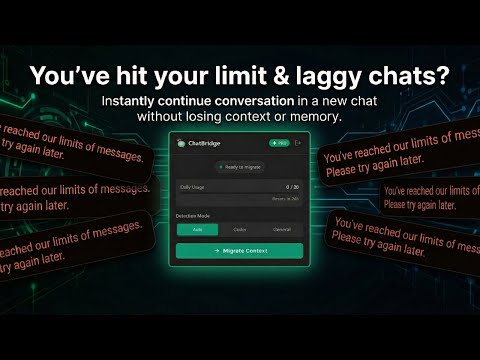
Fix "You've hit your limit" & laggy chats. Instantly continue conversation in a new chat without losing context or memory.
"You've hit your limit. Please try again later." Does this message get on your nerves? Is your long chat slowing down, crashing, or laggy? Don't wait for the reset timer. ChatBridge instantly migrates your active session to a fresh window so you can keep talking. 🚀 New Chat, Same Context. ⚡ FIXES THESE SPECIFIC ERRORS: - "You’ve reached our limits of messages." — Don't stop. Move context to a new model or account. - "I have reached the limit of one chat." — We create the "Part 2" of your chat automatically. - "The website always slows down." — Fresh chats run much faster. - "You’ve hit the Free plan limit for GPT-5." — Switch to another model without copy-pasting. 🧠 WHY CHATBRIDGE? (BETTER THAN MANUAL COPYING) Whether you use ChatGPT for coding or as a "Therapist," losing context hurts. Manual copying hits character limits. ChatBridge uses smart logic to keep: 1. The "Roots": Your original instructions and repeating patterns. 2. The "Now": The most recent details and context. 🔍 COMMON QUESTIONS SOLVED - How to continue a conversation with ChatGPT when it crashes? -> Click ChatBridge. - ChatGPT continue conversation in new chat with variables? -> Yes, auto-transferred. - ChatGPT api continue conversation logic? -> We bring this power to the web UI. - How to continue chatgpt conversation in new chat if "limit resets after 3 hours"? -> Move to a new chat and continue immediately. 📊 PLANS 🟢 FREE: 3 saves/day. Fixes "You've hit your limit" emergencies. 🟣 PRO: Unlimited. Massive context memory (60,000 chars). 👇 Don't wait for the timer. Click "Add to Chrome" and revive your chat now.
5 out of 51 rating
Details
- Version1.0.1
- UpdatedMarch 2, 2026
- FeaturesOffers in-app purchases
- Size60.16KiB
- LanguagesEnglish
- DeveloperWebsite
Email
yevhen.kalenichenko@gmail.com - Non-traderThis developer has not identified itself as a trader. For consumers in the European Union, please note that consumer rights do not apply to contracts between you and this developer.
Privacy

ChatBridge AI: Continue ChatGPT Conversation in New Chat Without Data Loss has disclosed the following information regarding the collection and usage of your data. More detailed information can be found in the developer's privacy policy.
ChatBridge AI: Continue ChatGPT Conversation in New Chat Without Data Loss handles the following:
This developer declares that your data is
- Not being sold to third parties, outside of the approved use cases
- Not being used or transferred for purposes that are unrelated to the item's core functionality
- Not being used or transferred to determine creditworthiness or for lending purposes
Support
For help with questions, suggestions, or problems, visit the developer's support site