

Chat Plus — All-in-One Productivity Suite for Google Chat™

개요
Supercharge Google Chat: polls, code snippets, screen/audio recording, scheduled messages, exports & more — all in one extension
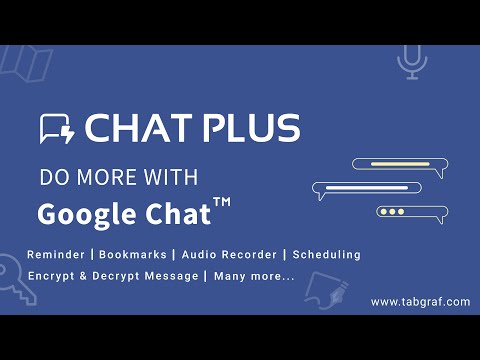
Chat Plus transforms Google Chat into a full-fledged productivity hub — giving you tools that go far beyond basic chat. ✨ What Chat Plus Adds to Google Chat ⦾ Polling: Collect feedback or make group decisions instantly within any space. ⦾ Text Snippets & Code Blocks: Share code, config files, or text templates cleanly; keep formatting intact. ⦾ Pop-out Chat Window: Detach chat into a separate browser window for easy multitasking across desktops. ⦾ Canned Responses & Scheduled Messages: Save time with templated replies — or schedule messages to send later. ⦾ Audio, Screen & Video Recording: Record quick voice notes, screen sessions or video + audio content — then share directly. ⦾ Sketchpad: Draw diagrams, flowcharts or sketches and send them in chat. ⦾ Dictation: Convert speech to text — great for typing in non-standard languages or on the go. ⦾ Location Sharing: Share your current location or any place via Google Maps link. ⦾ Message Encryption/Decryption: Keep sensitive messages secure with password-protected encryption. ⦾ Bookmark, Forward & Export Messages: Bookmark important chats; forward messages (even across multiple spaces/DMs); download entire threads or selections as CSV or Excel for archiving or analysis. ⦾ Reminder Tool: Set reminders on messages to get notified later. ⦾ Link Copy, Color & Audio Preview: Copy direct links to specific messages; preview color codes or audio links instantly. 🚀 Why Choose Chat Plus? ⦾ All-in-one tool: no need to install multiple extensions ⦾ Makes Google Chat powerful for developers, teams, freelancers, and remote workers ⦾ Boosts productivity and collaboration — from code sharing to task scheduling to secure communication ⦾ Works seamlessly inside Google Chat — no external apps needed 💡 Great For: Developers & teams collaborating over code or config files Remote teams needing polls, quick feedback or shared sketches Freelancers, project managers or support agents needing canned replies, reminders, or scheduling Anyone looking for richer multimedia and productivity tools — without leaving Google Chat Install Chat Plus today and unlock the full potential of Google Chat — your team (and your workflow) will thank you.
5점 만점에 3.6점평점 52개
세부정보
- 버전11.0.0
- 업데이트됨2026년 5월 13일
- 크기13.69MiB
- 언어English (United States)
- 개발자Tabgraf Technologies LLP웹사이트
Plot No F-27, Lane No 13 Nandighosh Habitat, BJB Nagar Bhubaneswar, Odisha 751014 IN이메일
support@tabgraf.com전화
+91 97781 88086 - 판매자개발자가 유럽연합에서 정의한 바에 따라 본인을 판매자로 밝혔으며 EU 법규를 준수하는 제품 또는 서비스만 제공하기로 약정했습니다.
개인정보 보호

개발자가 사용자 데이터에 관해 다음과 같이 선언했습니다
- 승인된 사용 사례를 제외하고 서드 파티에 판매하지 않음
- 항목의 핵심 기능과 관련 없는 목적으로 사용하거나 전송하지 않음
- 신용도 판단 또는 대출 목적으로 사용하거나 전송하지 않음
지원
질문, 제안 또는 문제와 관련하여 도움이 필요하시면 개발자의 지원 사이트를 방문하세요.