


Overview
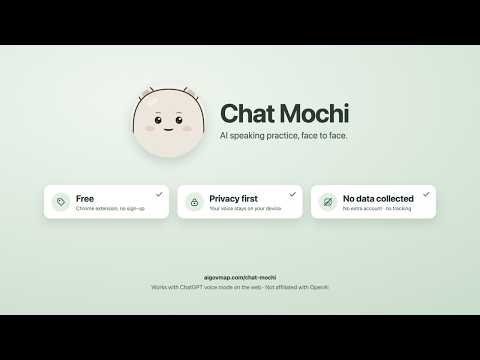
Practise speaking with ChatGPT voice mode, face to face: a cute avatar listens, nods and lip-syncs in a floating video-call window.
Practising speaking with ChatGPT voice mode, but staring at a glowing orb? Chat Mochi adds a cute speaking-practice buddy the moment you start talking, so it feels like a face-to-face video call. WHAT IT DOES • Listens: while you talk, it looks at you and leans in. When you pause, it nods. If you hesitate, its face softens. • Thinks: when you finish, it reacts first, then glances away to think. • Lip-syncs: when the AI speaks, the mouth follows the real audio. • Reacts to what's said: brows rise on questions, soften when it comforts you, and its eyes smile when it praises you. HANDY DETAILS • A floating window that stays on top of other apps, or go full screen in one click. • Resize proportionally, switch between portrait, square and landscape, and double-click to toggle close-up or half body. • 8 characters and 5 backgrounds to choose from. Switch any time from the call window. • Interface in English, French and Chinese. PRIVACY • Audio is analyzed on your device in real time (volume and frequency only). Nothing is recorded, stored or uploaded. • Conversation text is read only to choose expressions. It is not stored or uploaded. • No extra account, API key or fees. • The extension makes no network requests and has no analytics or tracking. HOW TO USE 1. After installing, open (or reload) chatgpt.com. 2. Start voice mode. Chat Mochi pops up automatically. 3. If it doesn't, click the small avatar at the bottom right of the page. Chat Mochi is an independent third-party tool. It is not affiliated with, endorsed or sponsored by OpenAI. ChatGPT is a trademark of OpenAI.
0 out of 5No ratings
Details
- Version1.0.3
- UpdatedOctober 13, 2026
- Size44.83KiB
- Languages3 languages
- Developer1 rue parmentier, issy-les-moulineaux Issy-les-Moulineaux 92130 FRWebsite
Email
shengxing.yang97@gmail.com - Non-traderThis developer has not identified itself as a trader. For consumers in the European Union, please note that consumer rights do not apply to contracts between you and this developer.
Privacy

Chat Mochi: AI Speaking Practice Buddy has disclosed the following information regarding the collection and usage of your data. More detailed information can be found in the developer's privacy policy.
Chat Mochi: AI Speaking Practice Buddy handles the following:
This developer declares that your data is
- Not being sold to third parties, outside of the approved use cases
- Not being used or transferred for purposes that are unrelated to the item's core functionality
- Not being used or transferred to determine creditworthiness or for lending purposes
Support
For help with questions, suggestions, or problems, visit the developer's support site