


Overview
Organize your chats (Gemini, ChatGPT, Claude) with folders.
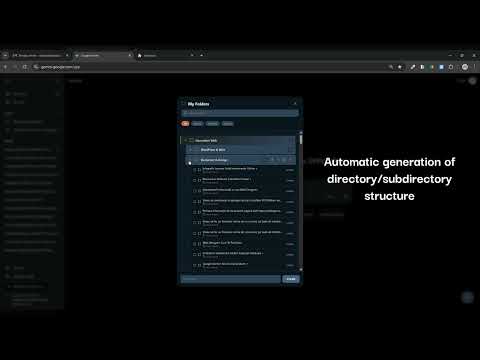
Organize your AI conversations in ChatGPT, Gemini and Claude using folders. Chat Folders is a Chrome extension that works on Google Chrome and all Chromium-based browsers, including Microsoft Edge, Brave and Opera. If you use AI tools daily, you probably have dozens of conversations mixed together. This extension helps you structure everything into clean, manageable folders in seconds. ✔ Create unlimited folders ✔ Drag & drop conversations ✔ Separate work and personal chats ✔ Works with ChatGPT, Gemini & Claude ✔ Chrome + all Chromium-based browsers ✔ Privacy-first – no tracking, no data collection All data is stored locally in your browser using the Chrome Storage API. No external servers. No analytics. No data sharing. Extension page: 👉 https://webage.ro/chat-folders-extension/ Built by Webage.ro – Web design & automation studio specialized in WordPress development, performance optimization and business-focused digital solutions. Need custom automation or AI workflow integration for your business? 👉 https://webage.ro/
0 out of 5No ratings
Details
- Version7.16
- UpdatedFebruary 11, 2026
- Size33.7KiB
- LanguagesEnglish
- DeveloperRadovan Dragoslav PFAWebsite
Strada Saturn 19 2 Dumbravita, Timiș 307160 ROEmail
radovand@gmail.comPhone
+40 799 560 470 - TraderThis developer has identified itself as a trader per the definition from the European Union and committed to only offer products or services that comply with EU laws.
Privacy

This developer declares that your data is
- Not being sold to third parties, outside of the approved use cases
- Not being used or transferred for purposes that are unrelated to the item's core functionality
- Not being used or transferred to determine creditworthiness or for lending purposes
Support
For help with questions, suggestions, or problems, please open this page on your desktop browser