


Overview
AI chat, advanced web search, document interaction, and more into a convenient sidebar.
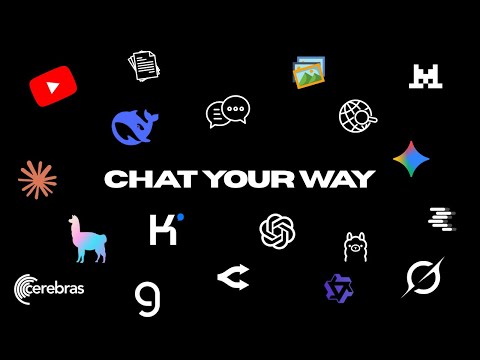
✨ Sen Chat – Your AI Sidebar for Smarter Browsing 🚀 What it does Sen Chat brings a powerful AI assistant into a handy sidebar so you can chat, research, and work with content without ever leaving your current tab. Ask questions, rewrite text, summarize pages, and analyze documents directly from any website. 💬 AI chat in your sidebar • Ask anything and get clear, structured answers • Keep multiple conversations and switch between them easily • See which model/provider was used for each reply 🌐 Smarter web browsing & search • Summarize any web page with one click • Extract key points, ask follow-up questions, or rewrite parts of the page • Use custom web search engines via your own API keys 📄 Work with documents • Upload and chat with PDFs, DOCX, TXT, Markdown, and more • Get summaries, explanations, or step‑by‑step breakdowns of long documents • See a clean document badge and context for each chat 🎥 YouTube video understanding • Get AI-powered video summaries and highlights • See video context (title, channel, stats) right in the chat • Quickly ask questions like “What are the main points in this video?” ⚡ On-page Quick Actions • Highlight text and instantly: Explain ✍️, Summarize 📌, Rewrite 📝, Translate 🌍, Fix grammar ✅ • Fully configurable: enable/disable and block specific sites from showing actions 🧠 Multiple AI providers (bring your own keys) • Support for OpenAI, Anthropic, DeepSeek, Cerebras, Ollama, OpenRouter, local/Ollama endpoints, and custom providers • Per-provider API keys, endpoints, and model lists • Easily switch models inside the chat UI 🎨 Customizable look & feel • Advanced theme settings: tweak primary color, user message color, AI background, and overall background • Your color choices are saved and applied automatically on every load 📚 Conversation history • All chats are saved locally using IndexedDB • Rename and revisit past conversations anytime • Safe titles automatically generated from your messages 🔐 Privacy & control • Your API keys are stored locally in the extension • You own your keys and control which providers and models are used • No mandatory account needed; just plug in your own credentials Sen Chat turns your browser into a focused AI workspace – perfect for research, learning, coding help, content creation, and analyzing long pages or documents without breaking your flow.
5 out of 57 ratings
Details
- Version0.8.3
- UpdatedDecember 22, 2025
- Size1.17MiB
- LanguagesEnglish
- DeveloperWebsite
Email
thanh@Onename.net - Non-traderThis developer has not identified itself as a trader. For consumers in the European Union, please note that consumer rights do not apply to contracts between you and this developer.
Privacy

This developer declares that your data is
- Not being sold to third parties, outside of the approved use cases
- Not being used or transferred for purposes that are unrelated to the item's core functionality
- Not being used or transferred to determine creditworthiness or for lending purposes