


Descripción general
Pin inline design comments on your web app and let your AI coding agent apply them.
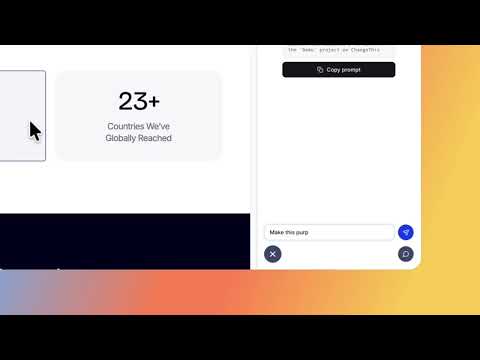
Turn visual website feedback into clear, actionable code changes. ChangeThis allows you to click and comment directly on any element of a live webpage. Pin feedback with rich context, including DOM hierarchy, rendered HTML, CSS properties, and screenshots, so your team or AI coding assistant can implement the exact fix without guesswork or back-and-forth. Stop sending vague messages like "this button looks misaligned" or sharing static screenshots without context. With ChangeThis, every piece of feedback is anchored to the exact element and visual state you are reviewing. KEY FEATURES • Pinpoint Element Feedback: Click headings, buttons, cards, navigation bars, or layout containers to attach comments to the exact DOM element and URL path. • Rich Technical Context: Automatically captures the element's DOM path, rendered markup snapshot, computed styles, and viewport dimensions. • Built-in DOM & Style Inspector: Inspect document structure, CSS rules, box model metrics (margin, border, padding), and test visual changes with a live CSS color picker. • AI Coding Assistant Integration: Native Model Context Protocol (MCP) support allows AI coding agents (such as Claude, Cursor, and Windsurf) to read your pinned feedback and make direct source code changes. • Review Rounds & Organization: Organize comments by project, separate feedback into review cycles (rounds), and manage statuses (Open, Resolved, Archived). • Cloud Sync & Offline Support: Seamlessly sync feedback across your devices with automatic cloud synchronization and offline queueing. • Visual Screenshots: Capture element and viewport previews alongside your feedback for instant visual reference. HOW IT WORKS 1. Open the webpage you want to review and launch ChangeThis from the side panel. 2. Activate the element selector to highlight any part of the interface. 3. Click the element and write your comment or design adjustment. 4. Review technical details using the built-in inspector if needed. 5. Pass the feedback to your development team or let your MCP-connected AI assistant apply the changes directly to your codebase. WHO IT'S FOR • Frontend Developers: Get exact DOM selectors, URLs, and computed styles instead of vague bug reports. • Designers & Product Teams: Conduct visual QA, design reviews, and streamline handoffs with clear visual context. • AI-Assisted Developers: Feed high-fidelity element data directly into your automated development workflows. Keep your design reviews clear, contextual, and ready to implement with ChangeThis.
5 de 51 valoración
Detalles
- Versión1.1.43
- Actualizado5 de octubre de 2026
- FuncionesOfrece compras en aplicaciones
- Tamaño280KiB
- IdiomasEnglish
- DesarrolladorAlberto Saiz GarciaSitio web
Valdemoro Valdemoro, Madrid 28341 ESCorreo electrónico
alberto@changethis.io - No operadorEste desarrollador no se ha identificado como operador. Los consumidores residentes en la Unión Europea deben tener en cuenta que los derechos de los consumidores no son aplicables a los contratos que suscriban con este desarrollador.
Privacidad

ChangeThis ha revelado la siguiente información sobre la recogida y el uso de tus datos. Puedes consultar información más detallada en la privacy policy del desarrollador.
ChangeThis gestiona lo siguiente:
Este desarrollador declara que tus datos:
- No se venden a terceros, excepto en los casos de uso aprobados
- No se usan ni se transfieren para fines no relacionados con la función principal del elemento.
- No se usan ni se transfieren para determinar la situación crediticia ni para ofrecer préstamos.
Ayuda
Si tienes alguna pregunta, sugerencia o problema, visita el sitio de asistencia del desarrollador.