


Overview
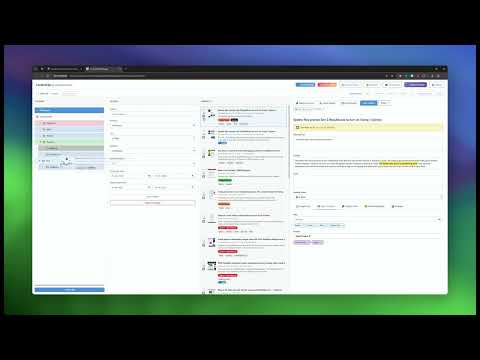
Research-grade text capture with context extraction and highlighting, metadata, projects, versioning, and academic export formats.
Cerptum – Save what matters. Keep the source. Cerptum helps you collect and organize information you find on the web. Save passages with their surrounding context, highlight text directly on webpages, bookmark useful sources, and keep the source details you may need later — all in one place. Built for researchers, students, journalists, writers, and anyone who does serious research online. WHAT YOU CAN DO Capture text with context Select a passage and save it with up to five surrounding sentences. Cerptum also collects available source information such as the page title, URL, author, publication date, DOI, journal, publisher, and other citation details. Highlight webpages Highlight text in different colors, add notes, and organize highlights in folders. Cerptum restores them when you return to the page whenever the original text can still be matched. Save sources Bookmark useful webpages even if you don't need a specific quote yet. Later, you can connect saved passages and highlights to those sources. Organize your research Use projects, folders, tags, notes, reading status, saved views, search, and filters to keep larger research collections manageable. Return to what you found Cerptum can take you back to the original source and, when possible, scroll directly to the passage you saved. See if a source has changed Use Academic Forensics to compare a saved passage with the current version of the source and see whether the text is still there or has changed. Create citations Generate citations from your saved source information in APA 7, IEEE, BibTeX, and RIS. You can also create a bibliography for an entire research project. Export your work Export passages, highlights, sources, or complete research projects as Markdown, JSON, plain text, BibTeX, or RIS. Custom export templates are also supported. Explore connections Use the timeline, concept map, hierarchy, and Sankey views to explore relationships between sources, projects, tags, and saved passages. LOCAL BY DESIGN Your research is stored locally in your browser. Cerptum has no cloud account, no analytics, no tracking, and no application server. Features that need to check an original source, such as source verification or Academic Forensics, only contact that source when you use them. HOW TO START Select text on a webpage. - Right-click and save it with Cerptum. - Add a project, tags, or notes if you want. - Open Cerptum to search, organize, verify, cite, or export your research. - You can also simply save a webpage or highlight text while you're reading. - Cerptum helps you remember not just what you found, but where it came from.
0 out of 5No ratings
Details
- Version1.3.0
- UpdatedOctober 8, 2026
- Size2.26MiB
- LanguagesEnglish
- DeveloperChristian HänselWebsite
Sommerhäuschenweg 9 Lemgo, Nordrhein-Westfalen 32657 DeutschlandEmail
chris@chaensel.de - Non-traderThis developer has not identified itself as a trader. For consumers in the European Union, please note that consumer rights do not apply to contracts between you and this developer.
Privacy

This developer declares that your data is
- Not being sold to third parties, outside of the approved use cases
- Not being used or transferred for purposes that are unrelated to the item's core functionality
- Not being used or transferred to determine creditworthiness or for lending purposes
Support
For help with questions, suggestions, or problems, please open this page on your desktop browser