


概述
A Network Requests Interceptor
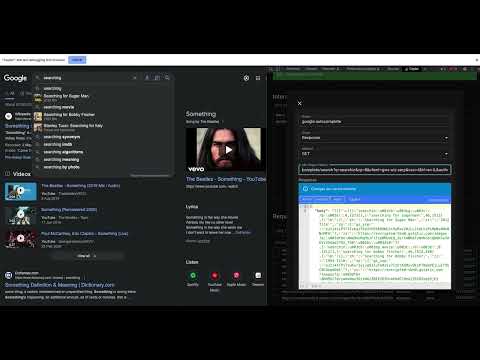
Cepter is a powerful and user-friendly Chrome extension designed to help web developers and testers streamline their workflow. With Cepter, you can easily intercept network requests and modify their response body, status, or headers. Cepter is a devtool that adds a dev-tool panel to the Chrome browser. To start using the extension, open chrome-devtools side-panel, Open the Cepter panel, and click "connect to tab" to begin debugging the page. Once connected, turn on "record network requests" to see all the network requests made to the page, either through refreshing or interacting with it. To create an interception, click "add interception" or use one of the network requests to base your interception on. Name your new interception and select the interception type - "Replace" is the commonly used option, while "Merge" is an advanced option relevant mainly for XHR JSON requests. With Merge, you can combine the body of the original response with the one you provide. Choose a response method such as GET or POST and ensure that the URL regex pattern is accurate. To control the new response's status or body, edit the JSON. It is essential to ensure that the JSON format of the response is valid to save your changes successfully. After creating one or more interceptions, refresh the page or trigger the network requests you want to intercept. Your changes should be applied based on the rules you defined.
3 星(5 星制)2 个评分
详情
- 版本0.0.1.21
- 上次更新日期2025年5月29日
- 提供方ayal gelles
- 大小638KiB
- 语言English (United States)
- 开发者
邮箱
ayalgelles@gmail.com - 非交易者该开发者尚未将自己标识为交易者。欧盟地区消费者须知:消费者权利可能不适用于您与该开发者达成的合约。
隐私权
该开发者已声明,您的数据:
- 不会因未获批准的用途出售给第三方
- 不会为实现与产品核心功能无关的目的而使用或转移
- 不会为确定信用度或放贷目的而使用或转移
支持
若有任何疑问、建议或问题,请在桌面浏览器中打开此页面