

Lightning Craft
2 ratings
)
Overview
A focused Salesforce workspace for data, metadata, records, queries, imports, exports, and developer workflows.
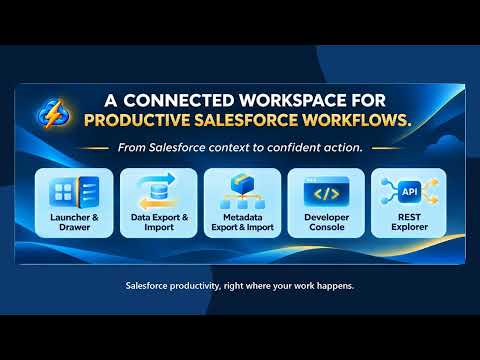
Lightning Craft is a focused Salesforce workspace that brings data, metadata, record tools, SOQL, imports, exports, and developer workflows closer to the Salesforce pages you already use. How to use Lightning Craft • Open a supported Salesforce Lightning page. • Click the Lightning Craft launcher on the right side of the page. • Search records and objects, or choose a workspace action. • Open Developer Console for source, metadata, deployment, and developer tasks. ✨ Key features • Salesforce Drawer Quickly search objects, records, users, and organization details from supported Salesforce pages. • Data View Explore Salesforce records, related data, fields, and record details in a focused workspace. • Data Export Build and run SOQL queries, review results, save query history, and export data when needed. • Data Import Import Salesforce data with configurable mappings, validation, staged records, and supported operations. • Download Metadata Discover Salesforce metadata, select components, save reusable packages, and download metadata ZIP files. • Developer Console Work with Salesforce source and metadata in a Monaco-based editor. Create, edit, compare, save, and deploy supported components. • Local Files Create local scratch files and folders, import files, compare changes, and use them alongside Salesforce source. • Developer Tools Use Anonymous Apex, SOQL Workspace, Debug Log Analyzer, Apex Test Workspace, and component creation workflows. • Supported Development Types Lightning Web Components, Aura applications/components/events/interfaces/tokens, Apex classes, Apex triggers, Visualforce pages, Visualforce components, Lightning Message Channels, and supported metadata resources. • Accessibility and Productivity Keyboard-friendly dialogs, action-button navigation, configurable preferences, dark mode support, and workspace-specific settings. Privacy and security Lightning Craft uses your existing Salesforce session to make requests only to the Salesforce organization you choose to work with. Workspace preferences, saved queries, mappings, and Local Files are stored locally in your browser. Lightning Craft does not sell Salesforce data or use it for advertising. Lightning Craft is an independent tool and is not an official Salesforce product. 🔗 Documentation: https://kumarvikky.github.io/Lightning_Craft_Extension 🔒 Privacy Policy: https://kumarvikky.github.io/Lightning_Craft_Extension/privacy 🐞 Report a Bug or Request a Feature: https://github.com/KumarVikky/Lightning_Craft_Extension/issues
5 out of 52 ratings
Details
- Version1.3.0
- UpdatedNovember 12, 2026
- Offered byVikky Saha
- Size3.35MiB
- LanguagesEnglish (United States)
- Developer
Email
info2kumarvikky@gmail.com - Non-traderThis developer has not identified itself as a trader. For consumers in the European Union, please note that consumer rights do not apply to contracts between you and this developer.
Privacy

Lightning Craft has disclosed the following information regarding the collection and usage of your data. More detailed information can be found in the developer's privacy policy.
Lightning Craft handles the following:
This developer declares that your data is
- Not being sold to third parties, outside of the approved use cases
- Not being used or transferred for purposes that are unrelated to the item's core functionality
- Not being used or transferred to determine creditworthiness or for lending purposes
Support
For help with questions, suggestions, or problems, please open this page on your desktop browser