


Overview
Fills SBI YONO Retail login credentials and OTP, keeps the session alive.
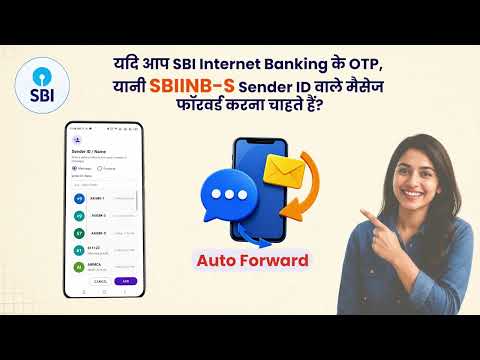
🔐 SBI No Session Logout autofills SBI/YONO login, fetches forwarded OTPs, keeps sessions alive, and speeds up quick payments. Full Description 🌈 SBI No Session Logout is a time-saving Chrome extension for SBI/YONO users who repeatedly log in or make SBI merchant quick payments. It helps automate supported SBI/YONO login and payment steps by filling saved credentials, receiving forwarded OTPs, handling timeout prompts, selecting your configured account, highlighting payment amounts, and stopping automatic clicks when a payment exceeds your chosen limit. 🔐 Login Autofill Automatically fills your SBI/YONO username and password from extension options. 📲 OTP Autofill Works with the supported OTP forwarding setup to fetch OTPs and fill them into supported SBI/YONO and SBI merchant pages. ⏱️ No Session Logout Helper Helps keep supported SBI/YONO sessions active and can handle session timeout resume prompts. 💳 Quick Pay Support Supports SBI merchant payment pages, including flows reached through sites such as Amazon payments. 🏦 Account Selection Selects the SBI account matching the account ending configured in extension options. 💰 Amount Highlighting Highlights payment amounts clearly with bold text and a red border so they are easy to notice. 🚦 Max Amount Limit Set a maximum payment amount. If the detected payment amount is higher than your limit, the extension will not press the payment button and will show an alert. 🛠️ Setup 🧩 Install SBI No Session Logout: https://chromewebstore.google.com/detail/sbi-no-session-logout/cdhmkolciccpeafmajanbjolhfeidekc ⚙️ Open extension options and enter: SBI username SBI password Mobile number for OTP autofill Merchant account ending, if using quick payment Max Amount Limit 📱 Install AI SMS Forwarder: https://play.google.com/store/apps/details?id=com.aigen.smsforwarder ✅ Make AI SMS Forwarder your default SMS app. 🔁 Configure OTP forwarding: SBYONO-S OTPs: https://toolsforoffice.com/s/tvkytp SBIINB-S OTPs: https://toolsforoffice.com/s/j8vvnp ⚠️ Important Security Notice This extension handles highly sensitive banking data. If your computer, Chrome profile, extension storage, or OTP forwarding setup is compromised, your SBI account may be misused. Use it only on your own trusted device. Do not install or use it if someone else asked you to do so during a phone call, chat, screen share, remote desktop session, payment dispute, or support interaction. 🚫 No Official Affiliation This extension is not affiliated with, endorsed by, sponsored by, or operated by State Bank of India, YONO, Amazon, or any payment provider.
5 out of 51 rating
Details
- Version2.1
- UpdatedAugust 21, 2026
- Size34.46KiB
- LanguagesEnglish (United States)
- DeveloperWebsite
Email
anikadigitalseva@gmail.com - Non-traderThis developer has not identified itself as a trader. For consumers in the European Union, please note that consumer rights do not apply to contracts between you and this developer.
Privacy

This developer declares that your data is
- Not being sold to third parties, outside of the approved use cases
- Not being used or transferred for purposes that are unrelated to the item's core functionality
- Not being used or transferred to determine creditworthiness or for lending purposes
Support
For help with questions, suggestions, or problems, please open this page on your desktop browser