Item logo image for catm

catm

Item media 6 (screenshot) for catm
Item video thumbnail
Item media 2 (screenshot) for catm
Item media 3 (screenshot) for catm
Item media 4 (screenshot) for catm
Item media 5 (screenshot) for catm
Item media 6 (screenshot) for catm
Item video thumbnail
Item media 2 (screenshot) for catm
Item media 3 (screenshot) for catm
Item media 4 (screenshot) for catm
Item media 5 (screenshot) for catm
Item media 6 (screenshot) for catm

Overview

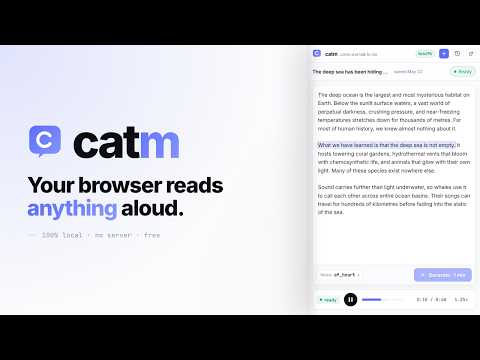
On-device long-form text-to-speech in a side panel. Right-click → Read page.

catm reads long-form text out loud, right inside your browser. Synthesis runs locally on your machine — no servers, no accounts, no telemetry. Text you select never leaves the browser.

Details

  • Version
    0.2.13
  • Updated
    October 12, 2026
  • Offered by
    Al Brown
  • Size
    6.36MiB
  • Languages
    English
  • Developer
    Email
    darkwinglabs@gmail.com
  • Non-trader
    This developer has not identified itself as a trader. For consumers in the European Union, please note that consumer rights do not apply to contracts between you and this developer.

Privacy

Manage extensions and learn how they're being used in your organization
The developer has disclosed that it will not collect or use your data. To learn more, see the developer’s privacy policy.

This developer declares that your data is

  • Not being sold to third parties, outside of the approved use cases
  • Not being used or transferred for purposes that are unrelated to the item's core functionality
  • Not being used or transferred to determine creditworthiness or for lending purposes

Related

縦書き Reader

0.0

Click any Japanese text section to read it in vertical 縦書き script in a side panel.

Sidepanel Screen Reader TTS

4.0

AI Screen Reader/ Text to speech tool but in the side panel.

Reading Time Estimator

5.0

Estimates reading time on pages. Click the extension icon to toggle.

Audio Reader

5.0

Reads the visible text of the current webpage aloud.

Speak Selection

0.0

Right-click selected text to hear it spoken aloud. Stop, resume, and adjust voice, speed, pitch, and volume from a side panel.

Quick Speak

5.0

Quick Speak allows you to listen to any highlighted text with right click on a webpage instantly.

Porua

3.0

Text-to-speech reader for web pages

Read selected text

2.8

Right-click to read aloud selected text (currently English only). NOTE: other installed extensions might cause interference.

OutLoud - Local Phonon TTS

0.0

Highlight webpage text to read aloud using local Ollama Phonon speech synthesis

Grok-it

1.0

Right-click any text → Grok-it instantly answers in English

Page Speaker - Read Aloud

0.0

Read any web page aloud with simple text-to-speech controls.

音声読み上げ

3.0

選択したテキストを右クリックメニューの「読み上げ」から読み上げます。

縦書き Reader

0.0

Click any Japanese text section to read it in vertical 縦書き script in a side panel.

Sidepanel Screen Reader TTS

4.0

AI Screen Reader/ Text to speech tool but in the side panel.

Reading Time Estimator

5.0

Estimates reading time on pages. Click the extension icon to toggle.

Audio Reader

5.0

Reads the visible text of the current webpage aloud.

Speak Selection

0.0

Right-click selected text to hear it spoken aloud. Stop, resume, and adjust voice, speed, pitch, and volume from a side panel.

Quick Speak

5.0

Quick Speak allows you to listen to any highlighted text with right click on a webpage instantly.

Porua

3.0

Text-to-speech reader for web pages

Read selected text

2.8

Right-click to read aloud selected text (currently English only). NOTE: other installed extensions might cause interference.

Search
Clear search
Close search
Google apps
Main menu