

CatchIt: Save It, Find It

Overview
Save pages, links, selected text, notes, photos and files in one place, and find them again. Works without an account.
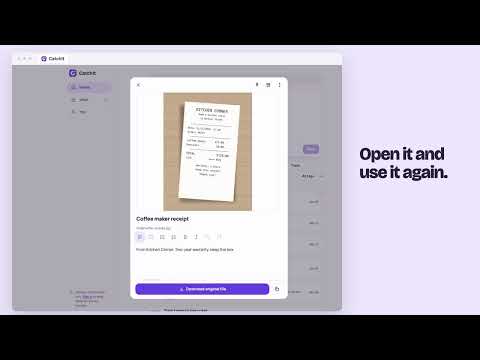
Where did you put it? The page you meant to read later, the address someone sent you, the note you typed somewhere. CatchIt keeps them in one place and finds them again when you need them. SAVE WITHOUT FILING • Click CatchIt on any page: the page is already in the Save box, so one more click saves it • Right-click a page, a link, selected text or an image to save it straight away • Write a quick note or a checklist, with bold, italic, bullets and numbered lines • Add a photo or a file: drop it anywhere on the CatchIt tab • Tags if you want them, never required • Keyboard shortcuts to open CatchIt and to save the page you are on FIND IT BY WHATEVER YOU REMEMBER • Search by any word in the title, note, address or tags • Narrow it by kind (notes, links, photos, files, lists), by when you saved it, or by tag • Pin the things you need every week; archive what you are done with • Trash keeps a removed save for 30 days WORKS WITHOUT AN ACCOUNT Use CatchIt straight away: your saves stay in this browser. Sign in with Google, Apple, Microsoft or your email to keep them on all your devices, including the CatchIt phone apps and CatchIt on the web. Signing in never moves saves made before it: CatchIt asks first. YOUR SAVES, YOUR CHOICE CatchIt saves only what you ask it to save. It does not read the pages you visit, keep your browsing history or show ads. You can export your saves at any time. CATCHIT PRO CatchIt is free, with 250 MB of cloud storage. Pro adds Smart search, finding photos by what they show, searching the words inside photos and PDFs, tags added for you and 5 GB of storage. Pro is bought in the CatchIt phone apps; once a member has it, its search help works here too. Terms: https://getcatchit.app/terms/ Privacy: https://getcatchit.app/privacy/
0 out of 5No ratings
Details
- Version1.0.0
- UpdatedNovember 28, 2026
- Offered byrmanoop25@gmail.com
- Size2.53MiB
- LanguagesEnglish
- Developer
Email
hello@getcatchit.app - Non-traderThis developer has not identified itself as a trader. For consumers in the European Union, please note that consumer rights do not apply to contracts between you and this developer.
Privacy

CatchIt: Save It, Find It has disclosed the following information regarding the collection and usage of your data. More detailed information can be found in the developer's privacy policy.
CatchIt: Save It, Find It handles the following:
This developer declares that your data is
- Not being sold to third parties, outside of the approved use cases
- Not being used or transferred for purposes that are unrelated to the item's core functionality
- Not being used or transferred to determine creditworthiness or for lending purposes
Support
For help with questions, suggestions, or problems, visit the developer's support site