Item logo image for CAT Mock Analyzer

CAT Mock Analyzer

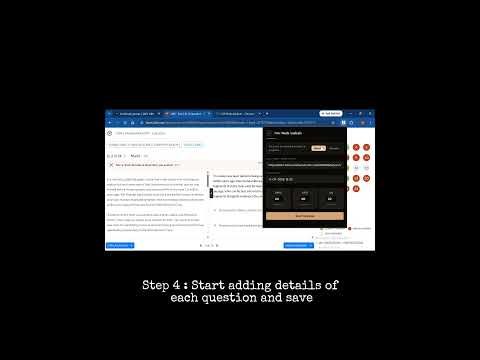
Item media 2 (screenshot) for CAT Mock Analyzer
Item video thumbnail
Item media 2 (screenshot) for CAT Mock Analyzer
Item video thumbnail
Item media 2 (screenshot) for CAT Mock Analyzer

Overview

Log questions from any CAT mock platform (TIME, IMS, CL, etc.) and unlock insights across all your mocks.

CAT Mock Analyzer — Chrome Extension Companion extension for CAT Mastery. Log every question from any mock test platform and unlock compound insights across all your CAT mocks. What it does: - Log every question from any mock (TIME, IMS, Career Launcher, etc.) - Track correct, incorrect, and skipped questions with reasons - Tag topics from the full CAT hierarchy (VARC / LRDI / QA) - Log time spent and confidence level per question - Sync to your CAT Mastery account for cross-mock analysis Key features: - Universal — works with any online mock platform - Per-question tracking with topic, time, confidence, and reason - Predefined error/skip reasons plus custom free-text - Searchable topic dropdown - Draft auto-save — close and resume later, no data loss - Duplicate URL protection - Dark theme How to use: 1. Install from Chrome Web Store 2. Log in with your CAT Mastery credentials 3. Open your mock test 4. Click extension icon, enter URL (auto-detected) and date 5. Select section and number of questions 6. Fill the grid — log each question's result, topic, time 7. Submit and visit the website for compound insights Privacy: - Data stored in your private Supabase-backed account - Only communicates with supabase.co — no third parties - No browsing history or page content collected - Only reads current tab URL to auto-fill the platform field Website: self-prep-cat.vercel.app

Details

  • Version
    1.2.0
  • Updated
    July 16, 2026
  • Size
    509KiB
  • Languages
    English
  • Developer
    Website
    Email
    divyamg2001@gmail.com
  • Non-trader
    This developer has not identified itself as a trader. For consumers in the European Union, please note that consumer rights do not apply to contracts between you and this developer.

Privacy

Manage extensions and learn how they're being used in your organization

CAT Mock Analyzer has disclosed the following information regarding the collection and usage of your data. More detailed information can be found in the developer's privacy policy.

CAT Mock Analyzer handles the following:

Authentication information
Website content

This developer declares that your data is

  • Not being sold to third parties, outside of the approved use cases
  • Not being used or transferred for purposes that are unrelated to the item's core functionality
  • Not being used or transferred to determine creditworthiness or for lending purposes

Related

Maskara - AI Prompt Optimizer for ChatGPT, Claude, Loveable and more

4.7

Transform questions into expert prompts. Works with ChatGPT, Claude, & all AI platforms. Better prompts. Better answers.

Comfort Library

0.0

Reading mode with highlights, notes, and a knowledge dashboard. Clean content, understand better, organize everything.

CAT-style Calculator for Practice

5.0

Solve questions the way you would in the CAT. Open this calculator alongside YouTube videos, Drive PDFs, or online question banks

LT Companion

5.0

Your AI LeetCode assistant: hints, code analysis, test cases, approach suggestions, and focused practice mode.

OSM MultiToolz

0.0

Analyze OpenStreetMap changesets with quick links to various QA tools and a personal OSM watchlist.

PassageIQ

4.8

Turn any article into CAT-style RC practice questions instantly.

SCELE Summary

5.0

Notion-style dashboard for SCELE: assignments, quizzes, announcements, and forums.

Perplexity Assistant

0.0

Summarize web pages and ask questions using Perplexity AI. Features side panel integration and context-aware chat.

MoodleGPT 3

5.0

Instant AI answers on any Moodle quiz — verified database, Gemini AI & full automation.

Moxby

5.0

A workspace where you and your AI agent work in context: Mods, Missions, and chat on any site via ChatGPT, Claude, or OpenRouter.

MCATBooster Chrome Extension

5.0

Free written & video solutions for all 7 official AAMC® MCAT® exams — reviewed in the same format as the real exam. 100% free.

mcat.tools Companion

5.0

Quickly access your daily MCAT study plan or save question insights to your Review Journal — all from your browser.

Maskara - AI Prompt Optimizer for ChatGPT, Claude, Loveable and more

4.7

Transform questions into expert prompts. Works with ChatGPT, Claude, & all AI platforms. Better prompts. Better answers.

Comfort Library

0.0

Reading mode with highlights, notes, and a knowledge dashboard. Clean content, understand better, organize everything.

CAT-style Calculator for Practice

5.0

Solve questions the way you would in the CAT. Open this calculator alongside YouTube videos, Drive PDFs, or online question banks

LT Companion

5.0

Your AI LeetCode assistant: hints, code analysis, test cases, approach suggestions, and focused practice mode.

OSM MultiToolz

0.0

Analyze OpenStreetMap changesets with quick links to various QA tools and a personal OSM watchlist.

PassageIQ

4.8

Turn any article into CAT-style RC practice questions instantly.

SCELE Summary

5.0

Notion-style dashboard for SCELE: assignments, quizzes, announcements, and forums.

Perplexity Assistant

0.0

Summarize web pages and ask questions using Perplexity AI. Features side panel integration and context-aware chat.

Google apps