

CAST Highlight SCA Chrome Extension
2 件の評価
)
概要
Check health of Open Source components directly from forge websites (github, gitlab, npmjs...)
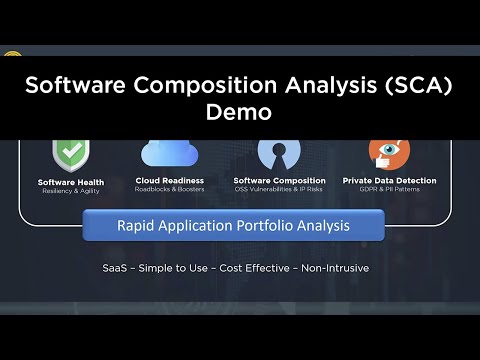
Visualize versions, security vulnerabilities (CVEs), license risk and compliance of Open Source repositories directly from forge websites (github, gitlab, npmjs...), maven, packagist, nuget, etc. Steps to use this extension: 1. Once installed, visit one of the supported repository urls (e.g., https://www.npmjs.com/package/swagger-ui) and click on the extension icon. 2. Login by using your CAST Highlight credentials or with a user token (SSO/SAML authentication is not supported) 3. See information on the repository such as vulnerabilities (CVEs), licenses, released versions, etc. Installation and usage instructions: https://doc.casthighlight.com/install-use-cast-highlight-sca-browser-extension/ CAST Highlight is a software intelligence product for rapid application portfolio analysis. It automatically analyzes source code of hundreds of applications in a week for Cloud Readiness, Open Source risks, Resiliency, and Agility. It combines objective software insights with qualitative surveys for business context.
5 点満点で 52 件の評価
詳細
- バージョン0.0.20
- 更新:2023年12月13日
- 提供元CASTHighlight
- サイズ70.12KiB
- 言語English (United States)
- デベロッパーCAST
3 Rue Marcel Allégot Meudon 92190 FRメール
muller974@gmail.com電話
+33 6 82 17 51 43 - トレーダーデベロッパーは、欧州連合の定義に基づき、取引業者として申告し、EU の法律を遵守した商品やサービスのみを提供することを約束しています。
- D-U-N-S767700156
プライバシー

CAST Highlight SCA Chrome Extension から、お客様のデータの収集と使用に関する以下の情報が開示されています。 詳しくは、デベロッパーの privacy policy をご確認ください。
CAST Highlight SCA Chrome Extension は次を扱います。
このデベロッパーは、お客様のデータについて以下を宣言しています
- 承認されている以外の用途で第三者に販売しないこと
- アイテムの中心機能と関係のない目的で使用または転送しないこと
- 信用力を判断する目的または融資目的で使用または転送しないこと
サポート
質問や提案、問題がある場合は、デベロッパーのサポートサイトにアクセスしてください。