


Overview
Inspect, extract, analyze, and copy CSS, colors, fonts, accessibility data, and assets from any webpage.
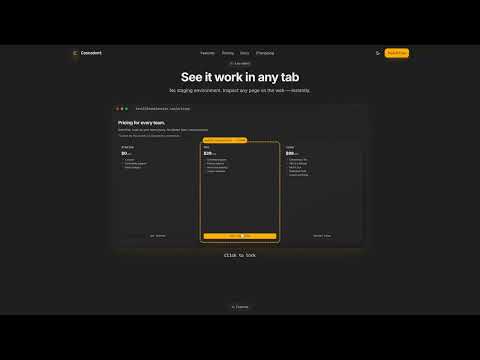
Cascadent is a Chrome MV3 developer extension that turns any webpage into a CSS playground. 38 inspection tools across 11 side-panel tabs — all behind a single hover-and-click flow. Read-only by design: it never modifies the content of pages you inspect. WHAT'S INSIDE Styles tab — full computed style sheet, cascade trace, pseudo-state enumeration (:hover / :focus / :active rules without forcing the state), multi-element compare/diff, CSS specificity analyzer, animation/transition inspector. Box tab — visual box-model overlay with margin / border / padding bands rendered directly on the page. Computed tab — every property, organized, copyable. Colors tab — eyedropper, page palette, WCAG contrast badge with AA/AAA pass-fail, copy-as-Tailwind. Fonts tab — per-element font-family + size + weight, page-wide fonts list, font-fallback tester. Assets tab — page-wide images, SVGs, fonts, and CSS background-image extraction. Per-asset thumbnail, dimensions, file size. Single download or bulk-ZIP. Image dimension mismatch detector. "Copy as Base64 data URI" on every asset. Tokens tab — design-token exporter (CSS variables, W3C JSON, Tailwind config), CSS usage frequency report, typography scale, Tailwind config reconstruction from utility-class usage. Z-Index tab — stacking-context visualizer. A11y tab — heading hierarchy (H1-H6 outline with skip flags), live contrast heatmap (paints every low-contrast text node on the page), vision-deficiency simulator (protanopia / deuteranopia / tritanopia / achromatopsia / blurred-vision filters). Audit tab — network asset attribution (maps resources back to DOM nodes), broken-link sweep. DOM tab — DOM tree inspector with shadow-DOM explorer (walks open shadow roots inline, flags closed shadow roots). Plus: responsive viewer at 320 / 768 / 1024 / 1440 px, multi-viewport screenshot grid export, element + full-page PNG screenshot, force color-scheme override, print-stylesheet preview, and a share-preview tester that shows how the page will look when shared on Facebook, LinkedIn, or X — reads the page's OpenGraph and Twitter Card meta tags so you can verify the preview before publishing. PRIVACY No analytics inside the extension. We do not track which pages you visit, which elements you inspect, or how often you use the tool. The free tier requires no account. Paid tiers exchange your email plus a license key — nothing else. A few features need to read network attribution, scan links, or extract bundled assets from pages you have not actively clicked the icon on. Those features ask for broader access the first time you use them, with an in-extension prompt that explains why. Decline freely and the rest of the extension keeps working. PRICING Free: 10 inspections per day, all 38 tools unlocked, ad-free. Annual: $19/yr — unlimited. Lifetime: $49 one-time — unlimited forever, about $1.29 per tool. 14-day refund on annual, 30-day refund on lifetime. Built by DevOptic.app. Privacy policy + full feature list at https://cascadent.devoptic.app.
0 out of 5No ratings
Details
- Version1.0.8
- UpdatedMay 26, 2026
- FeaturesOffers in-app purchases
- Size136KiB
- LanguagesEnglish (United States)
- DeveloperWebsite
Email
hello@devoptic.app - Non-traderThis developer has not identified itself as a trader. For consumers in the European Union, please note that consumer rights do not apply to contracts between you and this developer.
Privacy

Cascadent — CSS & Accessibility Inspector has disclosed the following information regarding the collection and usage of your data. More detailed information can be found in the developer's privacy policy.
Cascadent — CSS & Accessibility Inspector handles the following:
This developer declares that your data is
- Not being sold to third parties, outside of the approved use cases
- Not being used or transferred for purposes that are unrelated to the item's core functionality
- Not being used or transferred to determine creditworthiness or for lending purposes
Support
For help with questions, suggestions, or problems, visit the developer's support site