


Overview
Your AI bots in your browser: ask about any page, save what matters, and answer what your bots need without leaving your tab.
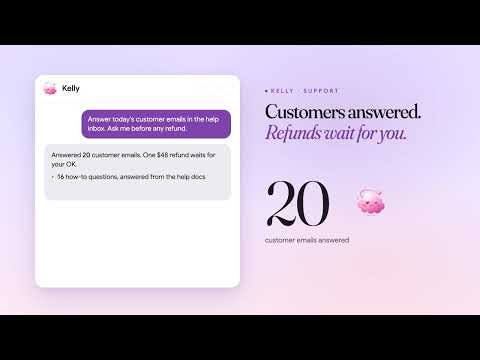
Casama for Chrome connects your browser to your Casama bots. ASK ABOUT ANY PAGE Open the side panel and ask any of your bots about the tab you're on. The page's address and the text you've selected go with your message; switch on the page's text, a PDF's text, a YouTube video's captions or a screenshot when you want them. Every chip shows its size, and "What was sent" under each message shows exactly what went. Replies stream in, with the bot's cards and buttons. Stop a reply, copy it, or have it read aloud. Attach files, paste pictures, drag a box over part of the page, or dictate. SAVE WHAT MATTERS Save a page to your Casama Library as Markdown, a PDF or a screenshot, into a project if you like. Remember a selection, add a page to a bot's knowledge, or make a task from it. Saves made offline go when you're back. ON EVERY PAGE, WHEN YOU WANT IT Turn on a bar beside selected text, a write button in text boxes (draft, rewrite, shorten, reply in your voice), and helpers for YouTube, Gmail, GitHub, search results, long threads and shopping pages. Type / for your saved page commands, @ to add other tabs, or point at the part of the page you mean. Highlight text to keep it; it shows again next time and your bots can find it. Watch part of a page, like a price, and hear when it changes. Queue pages for your morning brief. Talk with a bot in a live call while you look at the page. ON YOUR COMPUTER With Chrome's built-in AI, summarize, explain or translate a selection without sending anything. Long pages are trimmed to what matters before they're sent, to save credits. RIGHT-CLICK, SHORTCUTS AND THE ADDRESS BAR Ask about a selection, link or image from the right-click menu. Keyboard shortcuts open the panel, ask about the selection, screenshot part of the page or save it. Type "ca" in the address bar to ask straight away. STAY IN THE LOOP Approve or deny a bot's step, answer its requests, accept suggestions and stop runs, from the panel or right from a Chrome notification. The toolbar badge shows what's waiting. BOTS IN YOUR OWN BROWSER Let the bots you pick work in this browser, where you're already signed in, so they never need your passwords. Each works in its own named tab group and never sees your other tabs. A banner with Stop shows on every tab it uses; click into the tab to take over, hand back when you're done. Steps that send, delete, publish, share or sign in ask you first; purchases and passwords are always yours. Teach a bot a task by doing it once. PRIVATE BY DESIGN It reads a page only when you ask (start a message, switch on a chip, use the menu or a shortcut, or save), never in the background. It never reads Casama's own pages or pages with a password or card field, and banking, health, password manager and government ID sites are off by default. Add your own sites to the never-list. Your sign-in stays in this browser and isn't synced. Works with Casama Cloud and with self-hosted Casama servers. You need a Casama account (free to start) at https://casama.ai.
0 out of 5No ratings
Details
- Version0.2.0
- UpdatedNovember 22, 2026
- Size1.6MiB
- LanguagesEnglish
- DeveloperWebsite
Email
support@casama.ai - Non-traderThis developer has not identified itself as a trader. For consumers in the European Union, please note that consumer rights do not apply to contracts between you and this developer.
Privacy

Casama has disclosed the following information regarding the collection and usage of your data. More detailed information can be found in the developer's privacy policy.
Casama handles the following:
This developer declares that your data is
- Not being sold to third parties, outside of the approved use cases
- Not being used or transferred for purposes that are unrelated to the item's core functionality
- Not being used or transferred to determine creditworthiness or for lending purposes
Support
For help with questions, suggestions, or problems, visit the developer's support site