

Carry: AI chat exporter for ChatGPT, Claude, Gemini & Grok to Obsidian

Overview
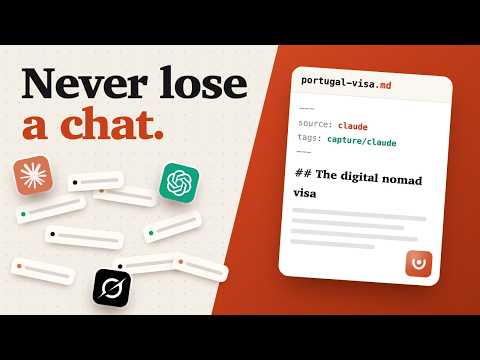
Carry auto-saves your ChatGPT, Claude, Gemini & Grok chat history as Markdown, and opens any saved chat in another AI. 14-day trial.
Carry saves your ChatGPT, Claude, Gemini and Grok chats, projects and files as Markdown on your computer, and keeps them current. An app's own export is a one-time snapshot. No Carry account. No API key. Carry never uploads your chats. SWITCH FROM CHATGPT TO CLAUDE OR GEMINI • Continue in opens a saved chat in another AI with the conversation attached, one chat at a time WHAT GETS SAVED • Code, tables and math intact • Images and files from your chats, next to the note • ChatGPT, Claude and Grok projects and Gemini notebooks, each as a folder • ChatGPT Deep Research and Grok DeepSearch reports in full • Grok Imagine sessions with their images and videos • Obsidian frontmatter: title, tags, dates HOW IT RUNS • Gemini, ChatGPT and Claude are checked every couple of hours while Chrome is open • Grok saves on its own through grok.com, opening a minimized window when needed • New messages in a saved chat update its file. No duplicates. • Carry never edits, moves or deletes your own files WHY PEOPLE USE IT • Export ChatGPT conversations, Claude chats and Gemini chats without waiting for a data export • Search your AI chat history in one place, next to your notes • Keep a copy before a chat disappears or a plan ends To save by hand, turn off "Automatic saving" in Settings and press Save on the chats you pick. PRIVACY • Uses the accounts you're already signed into. For Gemini, your first Google account. • Carry stays with the account it first saves from. Sign in to another account and it pauses until you switch back. • Everything is processed on your device. • Each provider's site access is asked for when you connect it. • One signed compatibility file downloads from carry.md. It sees your IP address and browser, never chats, files or license data. • Usage counts, never content. On by default; turn off "Share usage counts" in Settings. Details: https://carry.md/privacy PRICE Free for 14 days, no card. Then one payment, not a subscription. Sold through Polar, not Google. A license also saves your full chat history, not only recent chats. Price and refunds: https://carry.md/#pricing Terms: https://carry.md/terms
5 out of 54 ratings
Details
- Version2.1.3
- UpdatedNovember 22, 2026
- FeaturesOffers in-app purchases
- Size647KiB
- LanguagesEnglish
- DeveloperWebsite
Email
iankit17@gmail.com - Non-traderThis developer has not identified itself as a trader. For consumers in the European Union, please note that consumer rights do not apply to contracts between you and this developer.
Privacy

This developer declares that your data is
- Not being sold to third parties, outside of the approved use cases
- Not being used or transferred for purposes that are unrelated to the item's core functionality
- Not being used or transferred to determine creditworthiness or for lending purposes
Support
For help with questions, suggestions, or problems, visit the developer's support site