

Carpe - Clip Vault for YouTube
1 rating
)
Overview
Frame-accurate YouTube clip vault. Save and replay moments right in the player. No video downloads. Local-first with Chrome Sync.
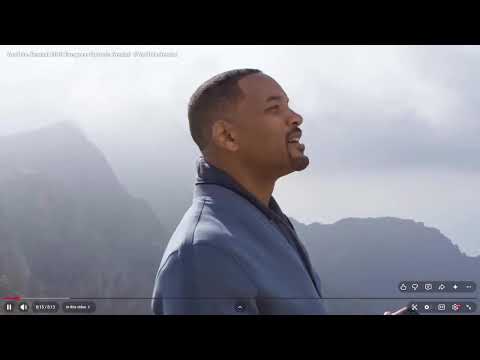
Carpe is a frame-accurate clip vault built directly into the YouTube player. Trim, save, and replay your favorite YouTube moments with precision—without downloading heavy video files or leaving YouTube. KEY FEATURES • Frame-Accurate In-Player Trimmer Carpe detects the active video's frame rate (24, 30, 60 fps, etc.) and displays live MM:SS:FF frame timecodes right inside YouTube's control bar so you can dial in exact start and end frames. • Exact Boundary Replay & Auto-Pause Open any saved clip to jump straight to the start point. Playback clears ads gracefully and automatically pauses the moment your clip ends—no autoplay overflow or post-clip distractions. • Zero Video Downloads Carpe saves lightweight clip ranges instead of downloading gigabytes of video files, keeping clipping instant and your storage clean. • Local-First Clip Library with Chrome Sync Every clip is always saved locally on your device first with unlimited local storage. Chrome Sync is enabled by default to automatically keep up to ~250 clips synchronized across your signed-in Chrome browsers (and can be toggled off anytime in Settings). • Portable Backups & Markdown Export Export your entire clip library as a full JSON backup (with one-click restore) or clean Markdown notes with clickable timestamp links ready for Obsidian, Notion, or Logseq. • Private & Open Source Zero analytics, zero tracking, and zero external servers. Your clips stay on your device and in your own Chrome Sync account. Licensed under GPL-3.0. TRIMMER KEYBOARD SHORTCUTS • , / . or Alt + Left / Right — Nudge by 1 frame • Shift + Left / Right — Nudge by 1 second • Left / Right — Nudge by 5 seconds • J / L — Nudge by 10 seconds • Enter — Save clip • Esc — Cancel editing
5 out of 51 rating
Details
- Version1.0.0
- UpdatedNovember 20, 2026
- Offered byferhatwi
- Size101KiB
- Languages2 languages
- Developer
Email
ferhatyigit7@gmail.com - Non-traderThis developer has not identified itself as a trader. For consumers in the European Union, please note that consumer rights do not apply to contracts between you and this developer.
Privacy

This developer declares that your data is
- Not being sold to third parties, outside of the approved use cases
- Not being used or transferred for purposes that are unrelated to the item's core functionality
- Not being used or transferred to determine creditworthiness or for lending purposes
Support
For help with questions, suggestions, or problems, visit the developer's support site