


Overview
Fills PHS forms from your confirmed CareNote shift. You review and sign every form yourself.
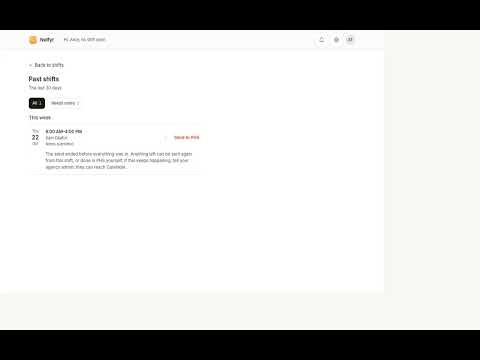
Send to PHS is for direct support professionals whose agency documents shifts in CareNote and must also enter them in PHS, their agency's EHR. When you press Send on a shift in CareNote, the extension opens PHS beside a small CareNote panel. You sign in to PHS yourself; the extension never fills or reads your PHS password. Then, one form at a time and only when you press Document, it fills the form from what you confirmed, moves a visible cursor to each field as it goes, and stops at Submit. You read the form and press Submit. It does not press Submit, Continue or any other button that signs a record. Before it fills anything it checks that PHS is signed in as you, that it is on the right individual, and that the shift's date and time match. If any check fails, it stops and says so, with nothing filled. If something in PHS changes and a step cannot be done, the panel tells you the one thing to do yourself and carries on from there. When you press Done it signs PHS out, clears PHS's cookies, site data and history entries from this computer, and signs CareNote out too, so the next person on a shared computer starts clean. It does the same PHS clean-up each time the browser starts, in case a send was cut off by the browser closing. Nothing from the shift is kept on the computer. While a send is running, PHS's pop-up messages in that tab are shown in the CareNote panel instead of a browser pop-up. In any other PHS tab they are PHS's own, as usual. On every PHS page, PHS's "leave this page?" prompt on Backspace is answered No, so a filled form is not lost. Your agency's admin turns the feature on, records the agency's authorization to use it, and sets up each individual's PHS details. The extension does nothing until that is done. CareNote is made by Notfyr. It is not made by, affiliated with, or endorsed by the maker of PHS.
0 out of 5No ratings
Details
- Version0.1.0
- UpdatedOctober 24, 2026
- Size65.06KiB
- LanguagesEnglish
- DeveloperWebsite
Email
oyebisi@notfyr.com - Non-traderThis developer has not identified itself as a trader. For consumers in the European Union, please note that consumer rights do not apply to contracts between you and this developer.
Privacy

CareNote: Send to PHS has disclosed the following information regarding the collection and usage of your data. More detailed information can be found in the developer's privacy policy.
CareNote: Send to PHS handles the following:
This developer declares that your data is
- Not being sold to third parties, outside of the approved use cases
- Not being used or transferred for purposes that are unrelated to the item's core functionality
- Not being used or transferred to determine creditworthiness or for lending purposes
Support
For help with questions, suggestions, or problems, visit the developer's support site