


Overview
Autofill applications, save roles, tailor resumes, and practice interviews with CareerVivid.
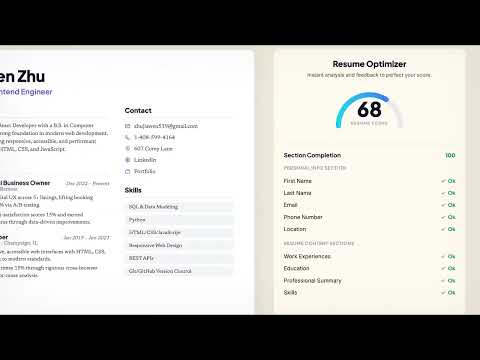
CareerVivid is a browser companion for job seekers who want a faster, more organized application workflow. Use CareerVivid to: - Save job postings to your CareerVivid tracker. - Analyze job descriptions against your selected resume. - Generate tailored resume, cover-letter, and application-answer support. - Track applied roles and keep your pipeline organized. The extension works with your CareerVivid account and opens in Chrome's side panel so your job search tools stay next to the posting or application form you are reviewing. Privacy summary: CareerVivid uses your resume profile, selected job posting content, application form labels/options, and saved-job data only to provide job-search, application-assistance, tracking, and autofill features. We do not sell your personal data or use extension-collected data for personalized advertising.
5 out of 51 rating
Details
- Version3.1.1
- UpdatedJune 19, 2026
- FeaturesOffers in-app purchases
- Size7.84MiB
- LanguagesEnglish
- DeveloperWebsite
Email
support@careervivid.app - Non-traderThis developer has not identified itself as a trader. For consumers in the European Union, please note that consumer rights do not apply to contracts between you and this developer.
Privacy

CareerVivid - Job Tracker & AI Career Coach has disclosed the following information regarding the collection and usage of your data. More detailed information can be found in the developer's privacy policy.
CareerVivid - Job Tracker & AI Career Coach handles the following:
This developer declares that your data is
- Not being sold to third parties, outside of the approved use cases
- Not being used or transferred for purposes that are unrelated to the item's core functionality
- Not being used or transferred to determine creditworthiness or for lending purposes
Support
For help with questions, suggestions, or problems, visit the developer's support site