


Overview
Save web page as PDF & capture scrolling full page screenshots. Convert HTML & URLs, compress and merge PDF files in your browser.
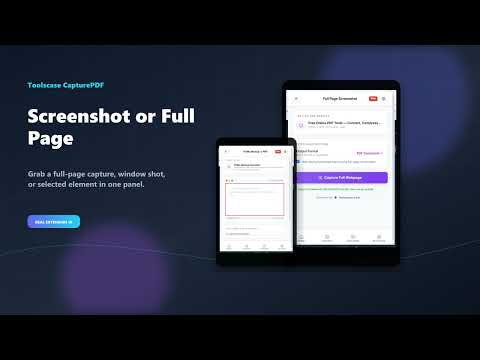
Save anything on your browser layout directly into high-fidelity PDFs with CapturePDF, the all-in-one browser capture and utility toolkit. CapturePDF lets you save entire web pages, online URLs, and raw HTML markup into PDFs, capture full-page scrolling screenshots, and run vital PDF utilities like merge and compression directly from your browser toolbar. Whether you need to save an invoice receipt, grab articles for offline reading, screenshot developer designs, or merge multiple reports, CapturePDF provides a complete suite of browser-level tools. 📸 POWERFUL SCREEN CAPTURE MODES: • Save Tab to PDF: Convert the active page view and styles into a printable PDF layout. • Full Page Screenshot: Automatically scroll the entire webpage to stitch and compile it into a single high-resolution PDF or PNG image. • Visible Viewport Screenshot: Capture exactly what is visible on your screen. 🔗 WEB & HTML CONVERTERS: • Website to PDF: Input any online URL address and compile it into a downloadable PDF document instantly. • HTML to PDF Converter: Write or paste raw HTML markup code to render it immediately as a PDF file. • HTML File Upload: Upload a local HTML file to compile and convert it. 🛠️ BULK PDF UTILITIES: • Merge PDFs: Combine multiple PDF files into one clean document. Order them and stitch them together instantly. • Compress PDFs: Reduce file size and optimize pages for email attachments and storage. 🚀 KEY ADVANTAGES & CAPABILITIES: • 100% Free & Unlimited: No hidden fees, subscriptions, or watermarks. • Local Previews: Review your captures instantly in a browser tab preview before saving. • Clean & Fast UI: Minimalist pop-up workspace loads in milliseconds. 🔒 PRIVACY & HISTORY ASSURANCE: We value your data privacy: • CapturePDF does NOT monitor, record, or track your browser history. • Captures and document tasks are executed securely in transit via TLS (HTTPS) and files are immediately purged after download.
0 out of 5No ratings
Details
- Version1.0.3
- UpdatedAugust 4, 2026
- Size402KiB
- LanguagesEnglish (United States)
- DeveloperHassan Saeed ChohanWebsite
House No 359, Mohallah Sheikhan , Zafarwal Tehsil Zafarwal District Narowal Zafarwal, Narowal 54000 PKEmail
hassanchohan10@gmail.comPhone
+92 301 1226722 - TraderThis developer has identified itself as a trader per the definition from the European Union and committed to only offer products or services that comply with EU laws.
Privacy

CapturePDF - Save Web Page as PDF Converter has disclosed the following information regarding the collection and usage of your data. More detailed information can be found in the developer's privacy policy.
CapturePDF - Save Web Page as PDF Converter handles the following:
This developer declares that your data is
- Not being sold to third parties, outside of the approved use cases
- Not being used or transferred for purposes that are unrelated to the item's core functionality
- Not being used or transferred to determine creditworthiness or for lending purposes
Support
For help with questions, suggestions, or problems, visit the developer's support site