


概述
Transforms your screen into a canvas—effortlessly record, edit, and share high-quality screenshots and videos like a pro!
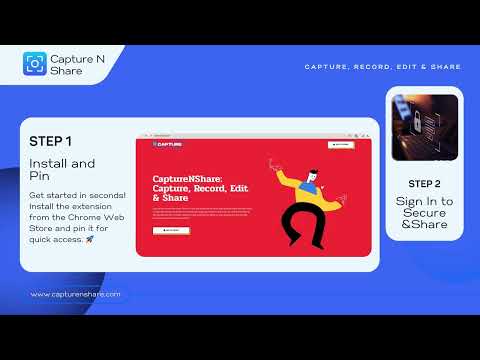
Easily record your screen or capture sharp screenshots with CaptureNShare - the powerful, user-friendly screen recording and capture tool! Transform your screen capture experience with CaptureNShare! This versatile extension lets you record high-quality videos and take precise screenshots with just a few clicks. Whether you're creating tutorials, documenting bugs, or sharing ideas, CaptureNShare provides all the tools you need in one seamless package. Why Choose CaptureNShare? 1️⃣ Free and open-source solution 2️⃣ No watermarks or hidden fees 3️⃣ Secure local and cloud storage options 4️⃣ Integrated screen recording and screenshot tools 5️⃣ High-quality WebM video format support 6️⃣ Perfect for work and education 7️⃣ Zero ads - we respect your privacy 8️⃣ Clean, modern interface 9️⃣ Regular updates and improvements Key Features: 🎦 Screen Recorder • Flexible Recording: Capture your entire desktop, specific browser tab, or camera • Audio Control: Record system audio and microphone input • Camera Integration: Add webcam overlay while recording • Quick Controls: Pause, resume, and stop with easy-access buttons • Auto-save: Secure local saving of recordings 📸 Screenshot Tools • Capture Options: Full page, visible area, or selected region • Smart Capture: Automatically handles dynamic content and long pages • Quick Actions: Instant save or copy to clipboard • Editor Integration: Built-in tools for quick edits and annotations • Multiple Formats: Save as PNG for maximum quality Editing & Sharing ✏️ Built-in Editor: • Draw, highlight, and add text • Blur sensitive information • Crop and resize images • Add shapes and arrows • Professional annotation tools 🔄 Easy Sharing: • Direct save to your device • Quick copy to clipboard • Cloud storage integration • Secure sharing options How to Use: 1. Click the extension icon to start 2. Choose between screenshot or recording 3. Select your capture area 4. Edit and annotate as needed 5. Save or share instantly Perfect for: • Creating tutorials • Documenting issues • Sharing feedback • Taking notes • Team collaboration • Educational content Privacy & Security: • No personal data collection • Secure local storage • Optional cloud integration • Full control over your content Get started with CaptureNShare today and experience the perfect balance of power and simplicity in screen capture Support: support@capturenshare.com Website: https://capturenshare.com
4.9 星(5 星制)7 个评分
详情
隐私权

“CaptureNShare: Capture, Record, Edit & Share”已就收集和使用用户数据披露了以下信息。 如需了解详情,请查看开发者的privacy policy。
CaptureNShare: Capture, Record, Edit & Share会处理以下数据:
该开发者已声明,您的数据:
- 不会因未获批准的用途出售给第三方
- 不会为实现与产品核心功能无关的目的而使用或转移
- 不会为确定信用度或放贷目的而使用或转移
支持
若有任何疑问、建议或问题,请在桌面浏览器中打开此页面