

CaptureBrowser
2 ratings
)
Overview
Instantly capture perfect full-page or viewport screenshots of any webpage.
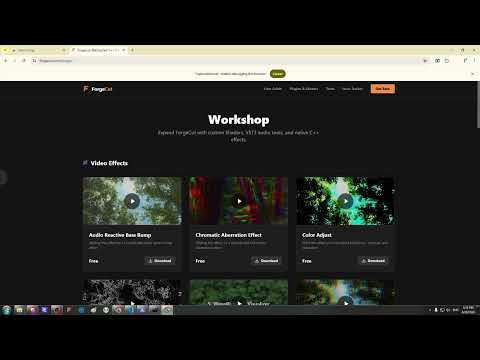
CaptureBrowser is a lightning-fast, ultra-lightweight extension that takes perfect, high-resolution screenshots of entire webpages with a single click. Unlike other screenshot extensions that inject hundreds of lines of heavy code to stitch images together, CaptureBrowser utilizes your browser's native built-in screenshot engine. This makes it incredibly fast, completely private, and highly reliable. ✨ KEY FEATURES • 1-Click Full Page Capture: Instantly captures the entire length of the website and saves it as a high-quality PNG to your Downloads folder. • Smart Auto-Scrolling: Automatically scrolls down the page before capturing to ensure all "lazy-loaded" images and hidden elements are fully loaded. • Layout Detection Failsafe: Features a built-in structural scanner. If it detects a complex web app, infinite-scroll feed (like X/Twitter), or massive sticky sidebars that usually break screenshot tools, it will intelligently abort the scroll and capture a clean image of your visible screen instead. • Zero Bloat: No premium features, no watermarks, no account required, and no intrusive menus. Just click the icon and get your image. 🔒 100% PRIVATE & SECURE CaptureBrowser operates entirely locally on your machine. It collects absolutely zero data, tracks zero analytics, and never communicates with external servers. *Note: Because this extension uses Chrome's powerful native Developer API to capture elements hidden below your screen, you may see a brief yellow bar at the top of your browser that says "Debugging this browser" for a split second while it takes the picture. This is completely normal and is simply Chrome letting you know its native camera is active.*
5 out of 52 ratings
Details
- Version1.0.0
- UpdatedJune 29, 2026
- Offered byPerl Studio
- Size12.91KiB
- LanguagesEnglish
- DeveloperPerl Studio
Telavi, Shalauri Telavi 2200 GEEmail
perltechhelp@gmail.com - Non-traderThis developer has not identified itself as a trader. For consumers in the European Union, please note that consumer rights do not apply to contracts between you and this developer.
Privacy

This developer declares that your data is
- Not being sold to third parties, outside of the approved use cases
- Not being used or transferred for purposes that are unrelated to the item's core functionality
- Not being used or transferred to determine creditworthiness or for lending purposes