


Overview
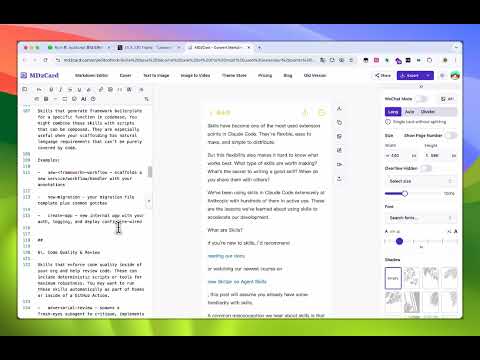
Capture web content as Markdown, copy to clipboard, and open in md2card.com
Capture markdown to card - 将任何网页内容转换为简洁的 Markdown 格式。 功能: • 捕获整个页面或选择特定元素 • 将 HTML 转换为简洁的 Markdown,支持 GFM(表格、代码块、任务列表) • 自动检测代码块中的编程语言 • 一键将 Markdown 复制到剪贴板 • 在 md2card.com 上转换为精美的知识卡片 • 快捷键:Ctrl+Shift+F(Mac 系统为 Cmd+Shift+F) • 深色浮动工具栏,支持拖拽 • Shadow DOM 隔离 - 绝不与页面样式冲突 使用方法: 1. 点击扩展程序图标或按 Ctrl+Shift+F 2. 选择“整个页面”或“选择元素” 3. Markdown 将自动复制到剪贴板 4. 点击“转换为卡片”在 md2card.com 上创建可视化的知识卡片 非常适合研究人员、作家、开发人员以及任何想要以简洁、便携格式保存网页内容的人士。
0 out of 5No ratings
Details
- Version1.0.2
- UpdatedMarch 20, 2026
- Size68.79KiB
- Languages中文(中国)
- DeveloperWebsite
Email
maqi1520@163.com - Non-traderThis developer has not identified itself as a trader. For consumers in the European Union, please note that consumer rights do not apply to contracts between you and this developer.
Privacy

Manage extensions and learn how they're being used in your organization
The developer has disclosed that it will not collect or use your data.
This developer declares that your data is
- Not being sold to third parties, outside of the approved use cases
- Not being used or transferred for purposes that are unrelated to the item's core functionality
- Not being used or transferred to determine creditworthiness or for lending purposes