


Overview
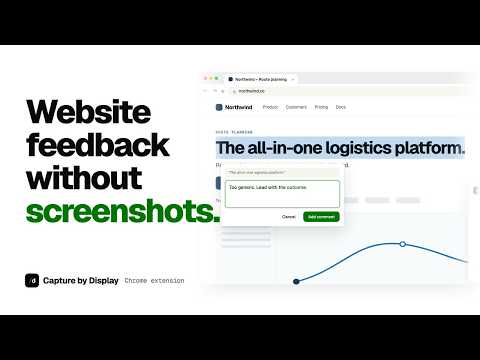
Comment on a rendered page, then publish the page and comments to display.dev.
Capture and annotate any website. Share the result on a link. Make edits with your agents or in-line. HOW IT WORKS 1. Open a page and select Capture by Display in the Chrome toolbar. 2. Select text on the page and add comments. Comments are optional. 3. Preview the captured page. 4. Choose a name and who can view it, then publish. 5. Share the link with your team, or give it to Codex, Claude Code or any other agent. WHAT YOU GET • A working copy of the page, not a screenshot. The text, layout, images and fonts look the way they did in your browser. • Up to 50 comments, each attached to the text you selected. • One link that opens in any browser. Your team reads the comments and replies on the page. PRIVACY The extension reads a page only after you open it from the toolbar. It does not run in the background or record your browsing history. REQUIREMENTS A display.dev account is required. Who can view a published page depends on your organization's settings and plan. Chrome settings pages, the Chrome Web Store, PDFs and local files are not supported.
5 out of 52 ratings
Details
- Version0.1.1
- UpdatedOctober 7, 2026
- Size185KiB
- LanguagesEnglish
- DeveloperDisplaydev OÜWebsite
Ankru tn 8 23 Tallinn, Harjumaa 11713 EEEmail
carl@display.devPhone
+372 5563 9291 - TraderThis developer has identified itself as a trader per the definition from the European Union and committed to only offer products or services that comply with EU laws.
Privacy

Capture by Display has disclosed the following information regarding the collection and usage of your data. More detailed information can be found in the developer's privacy policy.
Capture by Display handles the following:
This developer declares that your data is
- Not being sold to third parties, outside of the approved use cases
- Not being used or transferred for purposes that are unrelated to the item's core functionality
- Not being used or transferred to determine creditworthiness or for lending purposes
Support
For help with questions, suggestions, or problems, visit the developer's support site