

Captur
3 ratings
)
Overview
Turn your favorite YouTube videos, articles, and blogs into systematic vocabulary learning. Click to save as flashcard.
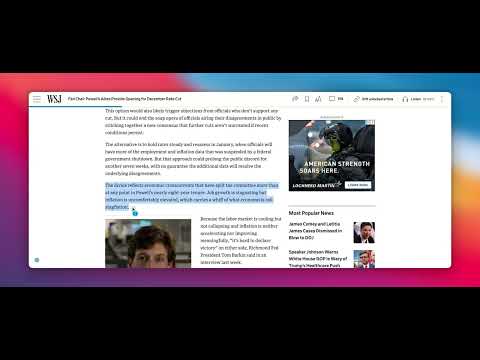
Build Vocabulary from Content You Love **How It Works - 4 Simple Steps:** **1. Hover to Translate** - Select any word or phrase on any webpage - Hover over teal dot for instant translation - 30x faster than traditional dictionary lookup **2. One-Click Flashcard** - Click the yellow word to save as flashcard - Green checkmark confirms it's saved - 600x faster than manual card creation **3. Review with Context** - Review saved words with spaced repetition - See words in different sentences each time - 80%+ retention with proven algorithm **4. Play Mini Games** - Play Definition Dating & Vocab Wordle - Track your learning streaks and progress - Make vocabulary review fun and engaging --- **Other Features:** - Double-Shift AI assistant: Press Shift twice to access AI tools—rephrase, translate, find synonyms, simplify text, or generate replies - Key Takeaways: AI extracts main points from any article with one click - Difficult Vocabulary: AI identifies challenging words on the page with inline translations - Multi-language support: Chinese (Simplified/Traditional), Spanish, French, German, Japanese, Korean, Portuguese, Italian, Russian, Arabic, Hindi, Dutch, Polish, Turkish, Vietnamese, Thai, Indonesian - Visual feedback: Yellow highlights for translated words, green checkmark when saved - Secure sync: All flashcards sync to captur.academy via HTTPS --- **Perfect For:** - ESL students learning English from real-world content - Professionals improving business English vocabulary - Language learners who want to learn from content they love - Anyone tired of boring flashcard apps with generic word lists **Why Captur is Different:** Traditional flashcard apps (Anki, Quizlet) require 5-10 minutes to create a single card manually. Language apps (Duolingo, Babbel) force you through generic lessons instead of letting you learn from content you love. Captur integrates directly into your browsing experience: - Hover to translate in 0.5 seconds—no clicking away to dictionaries - AI automatically identifies difficult vocabulary in articles - Full context preserved with every saved word - Multi-language support means you can learn any language from any content **Privacy-Focused:** - No browsing history collection - Data collected only when you explicitly save - All data transmitted securely via HTTPS - Full privacy policy at captur.academy/privacy **Support:** Visit captur.academy or email support@captur.academy
5 out of 53 ratings
Details
- Version1.0.51
- UpdatedDecember 5, 2025
- Offered byjfeng1115
- Size786KiB
- LanguagesEnglish
- DeveloperJUPITER ANALYTICS LLC
1075 Park Pl San Mateo, CA 94403-1587 USEmail
jfeng1115@gmail.com - Non-traderThis developer has not identified itself as a trader. For consumers in the European Union, please note that consumer rights do not apply to contracts between you and this developer.
Privacy

Captur has disclosed the following information regarding the collection and usage of your data. More detailed information can be found in the developer's privacy policy.
Captur handles the following:
This developer declares that your data is
- Not being sold to third parties, outside of the approved use cases
- Not being used or transferred for purposes that are unrelated to the item's core functionality
- Not being used or transferred to determine creditworthiness or for lending purposes