

Captist - Screen Recorder & Auto Zoom

Tổng quan
Captist — Create beautiful screen recordings with automatic zooms and professional mockups
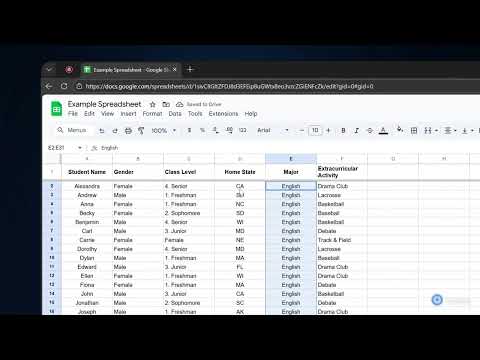
Create stunning, cinematic screen recordings in minutes — directly from your browser. Captist turns boring screen captures into professional visuals with intelligent auto-zoom, beautiful backgrounds, and smooth motion effects. ✨ KEY FEATURES: 🎥 Intelligent Auto-Zoom Never manually keyframe again. Captist automatically tracks your mouse clicks and movements, adding smooth, cinematic zooms to highlight important actions instantly. 🎨 Beautiful Backgrounds & Layouts Wrap your recordings in sleek, studio-quality backgrounds. Choose from vibrant gradients, glassmorphism effects, or minimal wallpapers to hide messy desktops and elevate your content. 🛠️ Precision Editor Full control is in your hands. Adjust zoom timing, change focal points, trim mistakes, and customize cursor visibility with our intuitive timeline editor. 🔒 100% Private & Offline Rendering Your data never leaves your device. Captist renders pixel-perfect 4K videos directly on your computer. No cloud uploads, no waiting, and absolute security for sensitive work. ⚡ Performance Optimized Run smoothly on any device. Export in 720p, 1080p, 1440p, or full 4K resolution with lightning-fast local processing. 🎯 PERFECT FOR: - Product Demos & Walkthroughs - Bug Reports & Technical Support - Educational Tutorials - Social Media Content (YouTube Shorts, TikTok, LinkedIn) Say goodbye to boring screencasts. Install Captist today and start creating videos that people actually want to watch. Changelog v1.0.3: - Improved recording handoff to open the Captist editor more reliably after stopping - Improved macOS recording compatibility and editor import reliability - Added smarter handling for video format detection after recording - Saved microphone and camera selections for a faster setup experience - Improved overall stability for the recording and editing flow Changelog v1.0.2: - Added a new popup with dedicated Record and Screenshot workflows - Added screenshot modes: Selected Area, Element, Visible Part, and Full Page - Added keyboard shortcuts for capture actions - Improved screenshot annotation tools and editor flow - Fixed popup and screenshot transfer issues Changelog v1.0.1: - IMPROVED: Recording stability on all platforms.
5/513 lượt xếp hạng
Chi tiết
- Phiên bản1.0.3
- Đã cập nhật29 tháng 3, 2026
- Tính năngCung cấp tính năng mua trong ứng dụng
- Kích thước295KiB
- Ngôn ngữEnglish
- Nhà phát triểnTrang web
Email
ngqunghuy@gmail.com - Người bán phi thương mạiNhà phát triển này không tự nhận mình là người bán. Đối với người tiêu dùng ở Liên minh Châu Âu, xin lưu ý rằng các quyền của người tiêu dùng không được áp dụng trong hợp đồng giữa bạn và nhà phát triển này.
Quyền riêng tư

Nhà phát triển này tuyên bố rằng dữ liệu của bạn
- Không được bán cho bên thứ ba, ngoài những trường hợp sử dụng đã được phê duyệt
- Không được sử dụng hoặc chuyển nhượng cho các mục đích không liên quan đến chức năng chính của mặt hàng
- Không được sử dụng hoặc chuyển nhượng để xác định khả năng thanh toán nợ hoặc phục vụ mục đích cho vay
Hỗ trợ
Nếu bạn có câu hỏi, ý kiến đề xuất hoặc gặp vấn đề, vui lòng mở trang này bằng trình duyệt dành cho máy tính để được trợ giúp