

Captist - Screen Recorder & Auto Zoom

Descripción general
Captist — Create beautiful screen recordings with automatic zooms and professional mockups
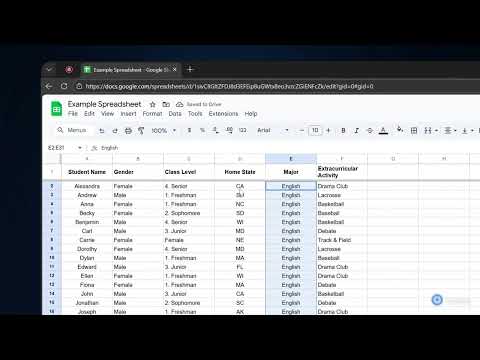
Create stunning, cinematic screen recordings in minutes — directly from your browser. Captist turns boring screen captures into professional visuals with intelligent auto-zoom, beautiful backgrounds, and smooth motion effects. ✨ KEY FEATURES: 🎥 Intelligent Auto-Zoom Never manually keyframe again. Captist automatically tracks your mouse clicks and movements, adding smooth, cinematic zooms to highlight important actions instantly. 🎨 Beautiful Backgrounds & Layouts Wrap your recordings in sleek, studio-quality backgrounds. Choose from vibrant gradients, glassmorphism effects, or minimal wallpapers to hide messy desktops and elevate your content. 🛠️ Precision Editor Full control is in your hands. Adjust zoom timing, change focal points, trim mistakes, and customize cursor visibility with our intuitive timeline editor. 🔒 100% Private & Offline Rendering Your data never leaves your device. Captist renders pixel-perfect 4K videos directly on your computer. No cloud uploads, no waiting, and absolute security for sensitive work. ⚡ Performance Optimized Run smoothly on any device. Export in 720p, 1080p, 1440p, or full 4K resolution with lightning-fast local processing. 🎯 PERFECT FOR: - Product Demos & Walkthroughs - Bug Reports & Technical Support - Educational Tutorials - Social Media Content (YouTube Shorts, TikTok, LinkedIn) Say goodbye to boring screencasts. Install Captist today and start creating videos that people actually want to watch. Changelog v1.0.3: - Improved recording handoff to open the Captist editor more reliably after stopping - Improved macOS recording compatibility and editor import reliability - Added smarter handling for video format detection after recording - Saved microphone and camera selections for a faster setup experience - Improved overall stability for the recording and editing flow Changelog v1.0.2: - Added a new popup with dedicated Record and Screenshot workflows - Added screenshot modes: Selected Area, Element, Visible Part, and Full Page - Added keyboard shortcuts for capture actions - Improved screenshot annotation tools and editor flow - Fixed popup and screenshot transfer issues Changelog v1.0.1: - IMPROVED: Recording stability on all platforms.
5 de 513 valoraciones
Detalles
- Versión1.0.3
- Actualizado29 de marzo de 2026
- FuncionesOfrece compras en aplicaciones
- Tamaño295KiB
- IdiomasEnglish
- DesarrolladorSitio web
Correo electrónico
ngqunghuy@gmail.com - No operadorEste desarrollador no se ha identificado como operador. Los consumidores residentes en la Unión Europea deben tener en cuenta que los derechos de los consumidores no son aplicables a los contratos que suscriban con este desarrollador.
Privacidad

Este desarrollador declara que tus datos:
- No se venden a terceros, excepto en los casos de uso aprobados
- No se usan ni se transfieren para fines no relacionados con la función principal del elemento.
- No se usan ni se transfieren para determinar la situación crediticia ni para ofrecer préstamos.
Ayuda
Si tienes alguna pregunta, sugerencia o problema, abre esta página en tu navegador para ordenadores