

Captist - Screen Recorder & Auto Zoom

Übersicht
Captist — Create beautiful screen recordings with automatic zooms and professional mockups
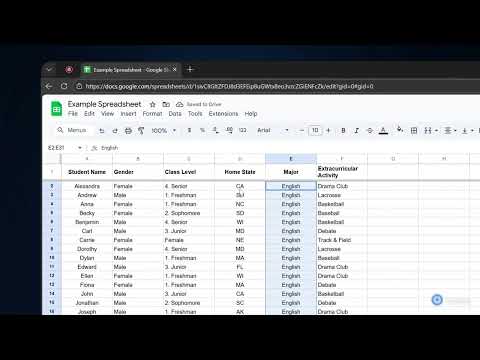
Create stunning, cinematic screen recordings in minutes — directly from your browser. Captist turns boring screen captures into professional visuals with intelligent auto-zoom, beautiful backgrounds, and smooth motion effects. ✨ KEY FEATURES: 🎥 Intelligent Auto-Zoom Never manually keyframe again. Captist automatically tracks your mouse clicks and movements, adding smooth, cinematic zooms to highlight important actions instantly. 🎨 Beautiful Backgrounds & Layouts Wrap your recordings in sleek, studio-quality backgrounds. Choose from vibrant gradients, glassmorphism effects, or minimal wallpapers to hide messy desktops and elevate your content. 🛠️ Precision Editor Full control is in your hands. Adjust zoom timing, change focal points, trim mistakes, and customize cursor visibility with our intuitive timeline editor. 🔒 100% Private & Offline Rendering Your data never leaves your device. Captist renders pixel-perfect 4K videos directly on your computer. No cloud uploads, no waiting, and absolute security for sensitive work. ⚡ Performance Optimized Run smoothly on any device. Export in 720p, 1080p, 1440p, or full 4K resolution with lightning-fast local processing. 🎯 PERFECT FOR: - Product Demos & Walkthroughs - Bug Reports & Technical Support - Educational Tutorials - Social Media Content (YouTube Shorts, TikTok, LinkedIn) Say goodbye to boring screencasts. Install Captist today and start creating videos that people actually want to watch. Changelog v1.0.3: - Improved recording handoff to open the Captist editor more reliably after stopping - Improved macOS recording compatibility and editor import reliability - Added smarter handling for video format detection after recording - Saved microphone and camera selections for a faster setup experience - Improved overall stability for the recording and editing flow Changelog v1.0.2: - Added a new popup with dedicated Record and Screenshot workflows - Added screenshot modes: Selected Area, Element, Visible Part, and Full Page - Added keyboard shortcuts for capture actions - Improved screenshot annotation tools and editor flow - Fixed popup and screenshot transfer issues Changelog v1.0.1: - IMPROVED: Recording stability on all platforms.
5 von 513 Bewertungen
Details
- Version1.0.3
- Aktualisiert29. März 2026
- FunktionenBietet In-App-Käufe
- Größe295KiB
- SprachenEnglish
- EntwicklerWebsite
E-Mail
ngqunghuy@gmail.com - Kein HändlerDieser Entwickler hat sich nicht als Händler deklariert. Für Verbraucher in der Europäischen Union gelten die Verbraucherrechte nicht für Verträge, die zwischen dir und diesem Entwickler geschlossen werden.
Datenschutz

Dieser Entwickler erklärt, dass deine Daten
- nicht an Dritte verkauft werden, außer in den genehmigten Anwendungsfällen
- nicht für Zwecke genutzt oder übertragen werden, die nichts mit der Hauptfunktionalität des Artikels zu tun haben
- nicht zur Ermittlung der Kreditwürdigkeit oder für Darlehenszwecke verwendet oder übertragen werden
Support
Wenn du Hilfe bei Fragen, Vorschlägen oder Problemen benötigst, öffne diese Seite in deinem Desktop-Browser