


Overview
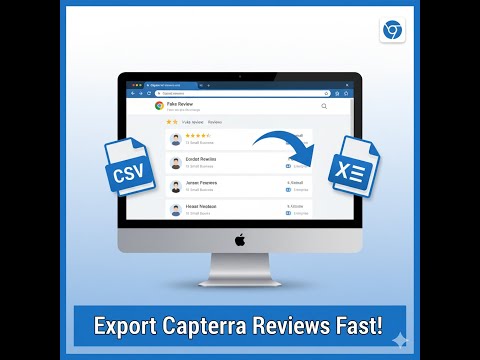
Extract reviews from Capterra software listings and export to CSV, XLSX, or JSON.
Export Capterra reviews to CSV or Excel with one click. Extract star ratings, review dates, reviewer names, job titles, full review text including Pros, Cons, and Overall sections, product metadata, and more - ready for analysis in Excel, Google Sheets, Power BI, or any B2B research tool. Built for product managers, SaaS founders, marketing agencies, and sales enablement teams who need structured Capterra review data for competitive analysis, battle cards, and market research. HOW IT WORKS 1. Go to any Capterra product page (e.g., capterra.com/p/123/product-name) 2. Click the extension icon and hit Extract 3. Choose your export format - CSV or Excel (.xlsx) 4. Download your analysis-ready file The extension automatically expands truncated "Read More" text so you get complete reviews, and intelligently de-duplicates rows when extracting across multiple sessions. DATA FIELDS INCLUDED IN EVERY EXPORT - Star rating (numeric) - Review date - Reviewer name - Reviewer role / job title - Review title - Pros section (full text) - Cons section (full text) - Overall review body (full text) - Product name - Source URL The structured Pros/Cons format is what makes Capterra data uniquely valuable for B2B analysis. You get pre-segmented positive and negative feedback without needing to run sentiment analysis - the reviewers have already done it for you. USE CASES - Sales battle cards: Extract a competitor's Cons sections in bulk, then organize the most frequent complaints into objection-handling scripts your sales team can use in competitive deals - Product roadmap validation: Search exported reviews for keywords like "missing," "wish," or "need" to find the features users request most in your category - then build what the market is asking for - Voice of Customer research: Feed the structured Pros/Cons data into ChatGPT, Claude, or any NLP tool to generate thematic clusters and sentiment summaries in minutes instead of days - SWOT analysis automation: Export reviews from 3-5 competing products to systematically map strengths, weaknesses, opportunities, and threats with real user evidence backing each point - Agency client deliverables: Build white-label competitor intelligence reports for B2B clients using real Capterra review data - export, analyze, and present in a single afternoon - Market entry research: Before building in a new software category, export reviews from the top-rated Capterra products to understand what buyers expect, what they tolerate, and what makes them switch AI-POWERED ANALYSIS (OPTIONAL) Upload your exported file to our AI dashboard at reviewsextractor.com to automatically detect: - Recurring pain points and complaint patterns across competitors - Feature requests ranked by frequency - Sentiment trends over time - Competitive positioning gaps your product can exploit PRIVACY AND SECURITY - Runs 100% locally in your browser - no data is sent to any server during extraction - No account or login required to start exporting - All exported files save directly to your device - No tracking or analytics collected from your browsing Part of the Reviews Extractor suite at reviewsextractor.com. Free to try. No credit card required.
5 out of 53 ratings
Details
- Version0.7.4
- UpdatedJuly 6, 2026
- Size734KiB
- LanguagesEnglish
- DeveloperWebsite
Email
reviewsextractor@gmail.com - Non-traderThis developer has not identified itself as a trader. For consumers in the European Union, please note that consumer rights do not apply to contracts between you and this developer.
Privacy

This developer declares that your data is
- Not being sold to third parties, outside of the approved use cases
- Not being used or transferred for purposes that are unrelated to the item's core functionality
- Not being used or transferred to determine creditworthiness or for lending purposes
Support
For help with questions, suggestions, or problems, please open this page on your desktop browser