


Overview
Summarize videos, generate thumbnails, and repurpose content using AI inside YouTube, Drive, Zoom, and more.
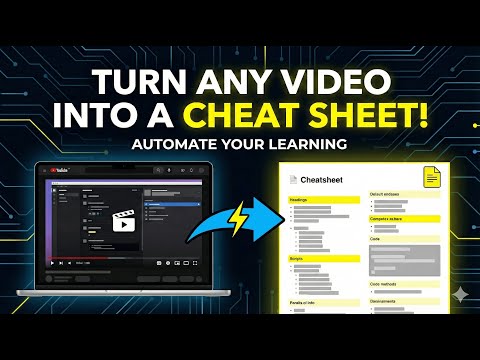
CapSummarize unlocks the full potential of your video content with the world’s most advanced open-source AI assistant. Whether you're studying a 3-hour lecture, planning your next YouTube upload, or breaking down a technical tutorial, CapSummarize helps you learn, create, and work faster—directly inside your browser. Unlike traditional extensions that charge monthly fees or lock you to a single model, CapSummarize lets you use your existing AI accounts. If you're logged in to ChatGPT, Gemini, Claude, Grok, or others, you can get instant summaries, thumbnails, scripts, and insights with zero setup. ⭐ Core Features 📝 Intelligent Video Summaries Turn long videos into clear, structured notes instantly. - 15+ preset formats: bullet points, study notes, executive briefs, detailed articles, show notes, Twitter threads, and more. - Custom prompts: Save your own formats for repeat use. - Multi-language support: Summaries in any language your AI provider supports. - Ask anything: Get deep-dive analysis from the video without switching tabs. 🎨 AI Thumbnails & Image Generation Generate viral-ready thumbnails and visuals based on video context. - Style presets inspired by creators like MrBeast, Casey Neistat, and tech reviewers. - Create mind maps, infographics, flowcharts, and comic strips. - Upload a reference image to match style and composition. 🎬 AI Video Repurposing Transform long videos into short, platform-ready content. - Auto-generate short clips, recap formats, ads, and trailer scripts. - Perfect for YouTube Shorts, TikTok, Instagram Reels, and LinkedIn. - Script generation powered by Gemini and other top models. 🎯 Who Is It For? Students & Researchers: Summarize lectures, extract key ideas, generate study guides and mind maps. Content Creators: Instant thumbnails, title ideas, descriptions, and short-form cuts. Professionals: Turn meetings, webinars, and industry videos into actionable summaries. Developers: Get code explanations, technical breakdowns, and step-by-step insights from tutorials. 🔒 Privacy First & 100% Open Source - Runs locally in your browser - No tracking, no analytics, no hidden servers - Your transcripts go directly to the AI model you choose - Fully open-source: review the code anytime on GitHub 🚀 Get Started 1. Click Add to Chrome 2. Open any supported video 3. Launch the CapSummarize panel 4. Choose your AI model 5. Click Summarize and save hours instantly Join thousands of creators, students, developers, and professionals who use CapSummarize to learn faster and create smarter.
5 out of 53 ratings
Details
- Version1.1.0
- UpdatedDecember 9, 2025
- Size228KiB
- LanguagesEnglish (United States)
- DeveloperWebsite
Email
support@capsummarize.app - Non-traderThis developer has not identified itself as a trader. For consumers in the European Union, please note that consumer rights do not apply to contracts between you and this developer.
Privacy

This developer declares that your data is
- Not being sold to third parties, outside of the approved use cases
- Not being used or transferred for purposes that are unrelated to the item's core functionality
- Not being used or transferred to determine creditworthiness or for lending purposes