


Overview
Browser DLP for Google Chrome: sensitive data checks, file controls, custom rules, admin panel with alerts and event/audit logs.
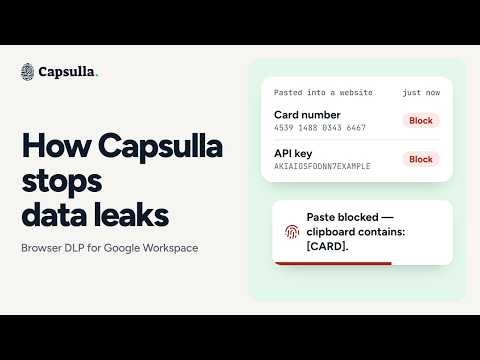
Capsulla is a data loss prevention tool for Google Workspace. It helps stop data leaks through text (pasting and typing) and files (uploads and downloads, blocked by file type). Workspace admins can set up rules and choose what happens when a text rule matches: block, mask, warn or allow and log. They can also monitor connected browsers. Events tab shows which rule fired, when and on which browser – but never the sensitive data or file contents. Features: ⚫ Text detection – pastes and typing Capsulla checks what users paste before it lands and warns about sensitive data patterns during typing. Rules are designed to catch card numbers, IBANs, US SSNs, cloud and API keys, access tokens, private keys and database URLs with passwords. ⚫ File upload & download detection Capsulla blocks uploads and downloads by file type. For example, you can stop source code, spreadsheets or scripts from being uploaded, or prevent executables downloads. Capsulla doesn't inspect file contents. ⚫ Four actions when rules are triggered Each clipboard rule can trigger one of four actions: block, warn, mask or allow. Allowing the text doesn't interrupt the user, but the admin panel still records the rule match when someone pastes or shares the text. File rules block uploads or downloads by file type. ⚫ Trusted domains Admins can whitelist company-authorized tools and websites. Once a site is whitelisted, Capsulla doesn't apply text or file detection and doesn't trigger any actions there. ⚫ Preset and custom rules Preset rules cover the most common data types, like cards, IDs, keys, contact information, personal data and more. Admins can also add company-specific patterns and turn them into custom rules with regex or AI generation. Just describe the rule in plain words, provide examples, and Capsulla generates it for you. ⚫ Luhn-verified card detection Card-number matches are checked against a Luhn checksum before Capsulla reacts. This helps filter out random 16-digit numbers and reduce false alarms. ⚫ Runs in your browser All text checks happen locally in Chrome. File uploads and downloads are checked by file type. The text and file contents aren't sent to Capsulla or stored by it. ⚫ Easy setup on Google Workspace Deploy Capsulla once through Google Admin to protect company data in every employee's Chrome browser. Rules are managed from one admin panel. It shows logs, incident counts and where the data was headed. You can also set up email alerts for the actions of your choice (for example, when data sharing is blocked), or receive daily or weekly summary reports. More at capsulla.io Support: support@capsulla.io
5 out of 52 ratings
Details
- Version3.4
- UpdatedNovember 21, 2026
- Size622KiB
- Languages13 languages
- DeveloperWebsite
Email
contact@lockisecurity.com - Non-traderThis developer has not identified itself as a trader. For consumers in the European Union, please note that consumer rights do not apply to contracts between you and this developer.
Privacy

Capsulla – Browser DLP for Chrome has disclosed the following information regarding the collection and usage of your data. More detailed information can be found in the developer's privacy policy.
Capsulla – Browser DLP for Chrome handles the following:
This developer declares that your data is
- Not being sold to third parties, outside of the approved use cases
- Not being used or transferred for purposes that are unrelated to the item's core functionality
- Not being used or transferred to determine creditworthiness or for lending purposes
Support
For help with questions, suggestions, or problems, visit the developer's support site