

Capped — AI Budget Guard

Overview
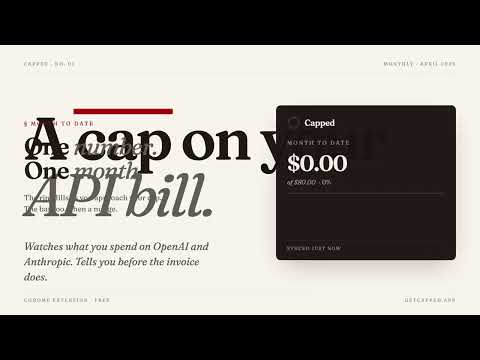
Set a cap on your OpenAI and Anthropic spend. Get alerted before the bill explodes.
HOW IT WORKS 1. Paste a read-only admin key from OpenAI or Anthropic. These keys can only read usage — they can't make API calls, can't see prompts, can't spend money. 2. Set a monthly cap in dollars. 3. Capped syncs hourly and fires a single desktop notification when you cross 80%, 100%, and 150% of your cap. Free plan runs entirely in your browser. Your keys are stored in chrome.storage.local and never sent to our servers. Nothing reaches us unless you subscribe to Pro. PRO ($9 / month) — optional Cloud polling plus alerts via Slack, email, and SMS, so the nudge reaches you even when Chrome is closed. PROVIDERS SUPPORTED - OpenAI (/v1/organization/costs — requires an organization admin key) - Anthropic (/v1/organizations/cost_report — requires an organization admin key) Gemini and AWS Bedrock are on the roadmap. WHAT CAPPED IS NOT - Not an observability platform. No prompt logging, no trace viewer, no eval suite. - Not a request proxy. It never touches your API calls. - Not a replacement for your provider's own spend limits. It is one simple thing: a cap, a cap line, and a nudge when you cross it.
0 out of 5No ratings
Details
- Version0.1.0
- UpdatedApril 20, 2026
- Offered bykodaren1338
- Size19.16KiB
- LanguagesEnglish
- Developer
Email
kodaren1338@gmail.com - Non-traderThis developer has not identified itself as a trader. For consumers in the European Union, please note that consumer rights do not apply to contracts between you and this developer.
Privacy

This developer declares that your data is
- Not being sold to third parties, outside of the approved use cases
- Not being used or transferred for purposes that are unrelated to the item's core functionality
- Not being used or transferred to determine creditworthiness or for lending purposes
Support
For help with questions, suggestions, or problems, visit the developer's support site