

CapEdition — Video & Photo Editor
Overview
Edit video and photos locally with layers, trim and text. Free watermarked 720p WebM video and PNG/JPG export.
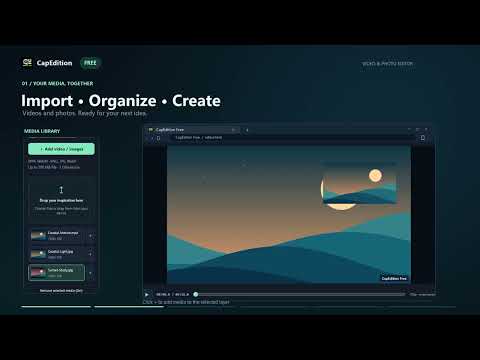
CapEdition is a free video and photo editor that runs in Chrome. Import MP4/WebM videos and PNG/JPG/WebP images, arrange clips across up to eight layers, trim or split footage, and add positioned text. Adjust media size, position and opacity, image brightness, contrast and saturation, and the video's original volume. Preview your composition, then export a watermarked WebM video at up to 720p or save the current frame as PNG or JPG. Video exports are limited to five minutes and run in real time; keep the editor tab visible while exporting. Files you select and your edits are processed locally in the editor tab. The extension does not upload media or editing data to external servers. Original files are unchanged, and editing sessions are not saved, so export your work before closing or reloading the tab. No account is required. The Chrome edition does not export MP4 or save and reopen projects. Optional links lead to information about the separate CapEdition Windows app; Windows Pro does not unlock features in this extension.
5 out of 51 rating
Details
- Version1.2.0
- UpdatedOctober 18, 2026
- Size69.99KiB
- Languages2 languages
- Developer
- TraderThis developer has identified itself as a trader per the definition from the European Union and committed to only offer products or services that comply with EU laws.
Privacy

This developer declares that your data is
- Not being sold to third parties, outside of the approved use cases
- Not being used or transferred for purposes that are unrelated to the item's core functionality
- Not being used or transferred to determine creditworthiness or for lending purposes
Support
For help with questions, suggestions, or problems, visit the developer's support site