

Canvas Tab Switch Blocker | Phantom
1 rating
)
Overview
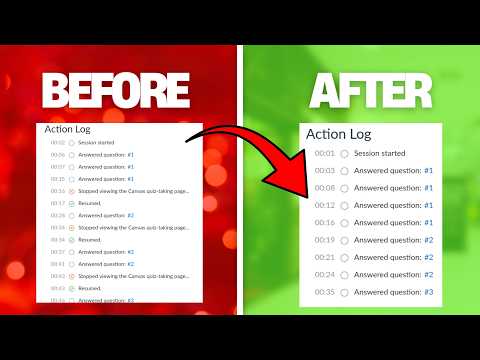
Bypass Canvas Tab Switching Detection, Full Stealth with AI chat
CANVAS HACK FREE FOREVER - No subscriptions, no paywalls. Only bring your own AI API key if you want to use the optional AI assistant. Features: - Block Canvas tab switch detection and focus tracking - Built-in AI assistant panel for quick research and lookups without leaving Canvas (requires your own API key) - Custom site rules with wildcard, exact-match, and regex support - Works across Canvas LMS instances, including schools, universities. Disclaimer: This extension is an independent third-party tool and is not affiliated with, endorsed by, or sponsored by Canvas™ or Instructure®. Canvas™ is a trademark of Instructure, Inc. All other trademarks belong to their respective owners.
5 out of 51 rating
Details
- Version1.5.0
- UpdatedOctober 9, 2026
- Offered bylogmilo
- Size50.0KiB
- LanguagesEnglish
- Developer
Email
logmilo12@gmail.com - Non-traderThis developer has not identified itself as a trader. For consumers in the European Union, please note that consumer rights do not apply to contracts between you and this developer.
Privacy

This developer declares that your data is
- Not being sold to third parties, outside of the approved use cases
- Not being used or transferred for purposes that are unrelated to the item's core functionality
- Not being used or transferred to determine creditworthiness or for lending purposes
Support
For help with questions, suggestions, or problems, visit the developer's support site