

Canvas Plus - A Canvas Upgrade

Overview
See Your Discussions, Replies, And Due Dates, All In a Rehauled, Cleaner User Interface For Canvas
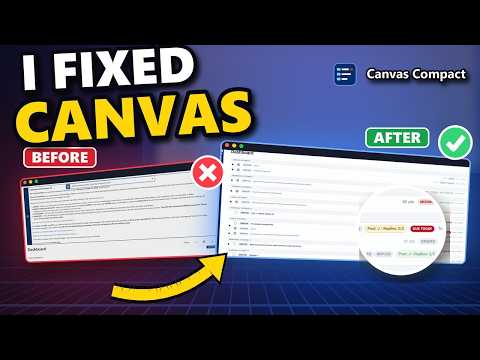
Canvas, cleaned up - every deadline counted down, every discussion tracked, an inbox like Gmail. 📘 Canvas Plus – A Canvas Upgrade Canvas Plus turns the cluttered Canvas student pages into a fast, tidy workspace. See what's due and how long you have, catch new work the moment it opens, and read your messages without the mess. Features students love: ⏰ Live Countdowns – "Due in 5 hours", "Due in 2 days" right next to every assignment 🟢 New Work Alerts – An "Available" tag the moment a quiz or assignment opens 📬 Gmail-Style Inbox – One line per message, full previews, unread in bold, one tidy card to read 💬 Discussion Reply Tracker (Canvas Plus) – Your post and replies on every discussion: green, yellow or red at a glance 🗂️ One-Click Courses & Files – Pick a course, see its modules; files download straight to your computer 🧹 Zero Clutter – Banners, pop-ups and empty days cleared away, so only your work is left Stay on top of every class without the extra clicks. Built for students who just want Canvas to get out of the way. Disclaimer: Canvas Plus is an independent project and is not affiliated with or endorsed by Instructure or Canvas LMS.
0 out of 5No ratings
Details
- Version1.2.0
- UpdatedOctober 14, 2026
- Size146KiB
- LanguagesEnglish
- Developer
Email
timcasentini@gmail.com - Non-traderThis developer has not identified itself as a trader. For consumers in the European Union, please note that consumer rights do not apply to contracts between you and this developer.
Privacy

This developer declares that your data is
- Not being sold to third parties, outside of the approved use cases
- Not being used or transferred for purposes that are unrelated to the item's core functionality
- Not being used or transferred to determine creditworthiness or for lending purposes