

Canvas Helper

Overview
Extract questions from Canvas quizzes and provide AI-powered solutions.
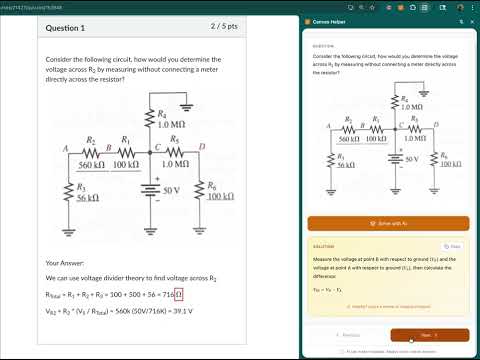
📚 Canvas Helper — Your AI-Powered Quiz Study Companion Canvas Helper extracts quiz questions directly from Canvas LMS pages and provides detailed AI-generated solutions to help you understand complex problems. ━━━━━━━━━━━━━━━━━━━━━━━━━━━━━━━ ✨ KEY FEATURES • Smart Question Extraction — Automatically detects and extracts all quiz questions from Canvas pages, including multiple choice, true/false, and open-ended questions. • AI-Powered Solutions — Get step-by-step explanations powered by advanced AI. Understand the reasoning behind each answer, not just the answer itself. • Image Support — Works with questions that contain diagrams, charts, graphs, and other visual elements. The AI can analyze and explain image-based problems. • Beautiful Math Rendering — Full LaTeX support means mathematical formulas, equations, and scientific notation display perfectly in solutions. • Side Panel Interface — Clean, distraction-free sidebar that stays alongside your Canvas quiz. No popups blocking your view. • Easy Navigation — Use Previous/Next buttons or arrow keys to quickly move between questions. See your progress with the question counter. • One-Click Copy — Copy solutions with rich formatting preserved. Paste into Google Docs, Word, or any text editor. • Secure Authentication — Sign in with Google for a personalized, secure experience. ━━━━━━━━━━━━━━━━━━━━━━━━━━━━━━━ 🎯 HOW TO USE 1. Navigate to any Canvas quiz page (*.instructure.com) 2. Click the Canvas Helper icon in your toolbar 3. Sign in with your Google account 4. Questions are automatically extracted 5. Click "Solve with AI" to get detailed explanations 6. Copy solutions or navigate to other questions ━━━━━━━━━━━━━━━━━━━━━━━━━━━━━━━ 📖 PERFECT FOR • Students studying for exams • Understanding complex problem-solving steps • Learning from worked examples • Reviewing quiz content with explanations ━━━━━━━━━━━━━━━━━━━━━━━━━━━━━━━ ⚡ REQUIREMENTS • Works on Canvas LMS pages (*.instructure.com domains) • Google account required for sign-in ━━━━━━━━━━━━━━━━━━━━━━━━━━━━━━━ Use responsibly and in accordance with your institution's academic integrity policies. Canvas Helper is designed as a learning tool to help you understand material, not to replace genuine learning. Questions or feedback? We'd love to hear from you!
0 out of 5No ratings
Details
- Version2.0
- UpdatedDecember 24, 2025
- Offered byCanvas Helper
- Size113KiB
- LanguagesEnglish
- Developer
Email
canvashelper.crx@gmail.com - Non-traderThis developer has not identified itself as a trader. For consumers in the European Union, please note that consumer rights do not apply to contracts between you and this developer.
Privacy

Canvas Helper has disclosed the following information regarding the collection and usage of your data. More detailed information can be found in the developer's privacy policy.
Canvas Helper handles the following:
This developer declares that your data is
- Not being sold to third parties, outside of the approved use cases
- Not being used or transferred for purposes that are unrelated to the item's core functionality
- Not being used or transferred to determine creditworthiness or for lending purposes