

Canva BG Remover Pro Ultra
1 rating
)
Overview
Modern bulk background removal on Canva with original-quality auto-download, safer auto-delete, and WhatsApp support.
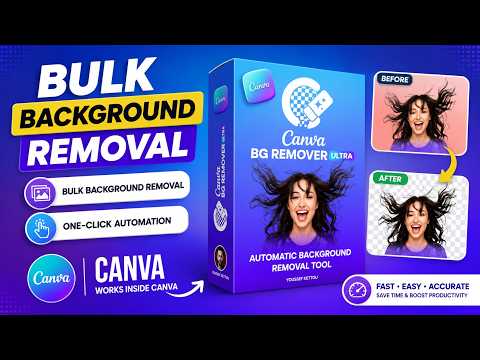
🎨 Canva BG Remover Ultra Bulk Background Removal with Smart Automation Transform your Canva workflow with **Canva BG Remover Ultra**, the powerful Chrome extension that automatically removes backgrounds from multiple images in just a few clicks. Designed for designers, marketers, e-commerce sellers, and content creators, it combines AI-powered precision with seamless automation to help you save time and boost productivity. ✨ Key Features 🚀 Bulk Background Removal Remove backgrounds from multiple images simultaneously. No more editing images one by one—process entire batches in minutes. 🤖 Smart Automation Start the process with a single click and let the extension automatically handle background removal for all selected images. 🎨 Seamless Canva Integration Works directly inside Canva, allowing you to continue designing without switching between different tools or platforms. 😊 Easy to Use Simple, intuitive, and beginner-friendly interface. No technical skills required. 🌟 High-Quality AI Results Advanced AI technology accurately detects subjects and removes backgrounds while preserving fine details and image quality. ⚙️ How It Works 1. ⬆️ Upload your images to Canva. 2. ▶️ Open **Canva BG Remover Ultra** and click **Start**. 3. ✨ The extension automatically removes backgrounds from all selected images. 4. 🎯 Continue designing with clean, transparent images ready for use. 💼 Perfect For * E-commerce product photography * Social media content creation * Marketing campaigns * Advertising creatives * Presentations and business materials * Graphic design projects 🚀 Save Hours of Manual Editing Stop removing backgrounds one image at a time. With **Canva BG Remover Ultra**, you can automate repetitive tasks, streamline your workflow, and create professional-quality designs faster than ever. Work smarter. Design faster. Remove backgrounds in bulk with Canva BG Remover Ultra.**
5 out of 51 rating
Details
- Version4.3.1
- UpdatedJune 19, 2026
- Offered byyoussefkettou
- Size58.22KiB
- LanguagesEnglish
- Developer
Email
yketto@gmail.com - Non-traderThis developer has not identified itself as a trader. For consumers in the European Union, please note that consumer rights do not apply to contracts between you and this developer.
Privacy

Canva BG Remover Pro Ultra has disclosed the following information regarding the collection and usage of your data. More detailed information can be found in the developer's privacy policy.
Canva BG Remover Pro Ultra handles the following:
This developer declares that your data is
- Not being sold to third parties, outside of the approved use cases
- Not being used or transferred for purposes that are unrelated to the item's core functionality
- Not being used or transferred to determine creditworthiness or for lending purposes
Support
For help with questions, suggestions, or problems, please open this page on your desktop browser