

Candlepage: PDF Dark Mode – Night Reader, Smart Images & Offline OCR

Overview
Read PDFs in true dark mode without ruining photos. Smart images, PDF finder, offline OCR for scanned books. No tracking.
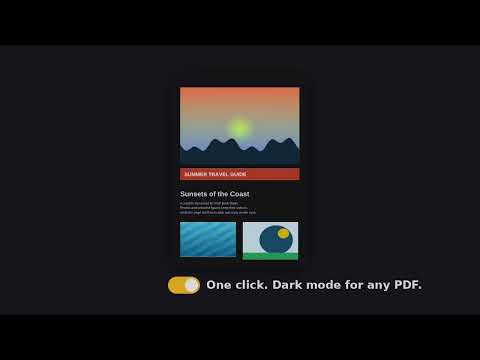
🌙 Reading PDFs late at night? Stop staring at a white screen. Candlepage opens your PDFs in a comfortable dark mode, automatically, wherever you find them. Built for students, researchers and developers who live in long papers, textbooks, datasheets and documentation, and read them after dark. Unlike tools that simply invert PDF colors, Candlepage darkens the page while it is drawn, so text, tables and diagrams become easy on the eyes, and your photos never turn into negatives. ━━━━━━━━━━━━━━━━━━━━ ✨ WHY CANDLEPAGE ━━━━━━━━━━━━━━━━━━━━ 🖼️ Smart Images: no ruined photos • All (default): every picture stays exactly as printed • Auto: real photos keep their colors, while light screenshots, diagrams and scans turn dark, like switching a program to dark mode • Off: everything goes dark with the page • Live preview of each option, plus a per-PDF choice 📡 PDF Radar: find every PDF on a page • Click the icon on any site to see each PDF it links to or embeds, by name • "Show on page" highlights exactly where it is • Open it in dark mode in a background tab and keep reading 📚 Offline OCR for scanned books • Scanned textbook with no text? Candlepage reads its printed page numbers, Roman numerals included (i, ii … xiv), right on your computer • Rebuilds a real chapter list from the book's own table of contents • Follows scans with missing pages, stretch by stretch • Progress bar, Cancel button and an on/off switch 💻 PDFs on your computer • A short guide takes you to the one Chrome switch needed for local files, and your PDF reopens in dark mode by itself once it is on ━━━━━━━━━━━━━━━━━━━━ 🧰 EVERYTHING ELSE ━━━━━━━━━━━━━━━━━━━━ • Opens PDFs from links, inside websites and from Google Drive (optional) • Brightness, contrast, sepia and background color • Right-click menu: copy, find, zoom, rotate, print, picture colors • Save any picture: frame it, resize it, save it dark or as printed • Real page numbers that match the printed book • Math tools: calculator, graphs and formula snip • Optional library and reading history • Toolbar that fits split-screen windows • Dark theme built on Mozilla's PDF.js, the engine behind Firefox's PDF viewer • English and Hebrew ━━━━━━━━━━━━━━━━━━━━ 🔒 PRIVATE BY DESIGN ━━━━━━━━━━━━━━━━━━━━ • No account, no ads, no tracking • Color processing and OCR run on your computer; your PDFs are not uploaded anywhere • Anonymous error reports are off unless you turn them on, and never include file names or page text 🌙 PDF dark mode, night reader and dark theme for PDF.js, in one extension. Install Candlepage and give your eyes a break tonight.
5 out of 57 ratings
Details
- Version3.22.72
- UpdatedNovember 23, 2026
- Size8.11MiB
- Languages2 languages
- DeveloperWebsite
Email
ben.meitav.work@gmail.com - Non-traderThis developer has not identified itself as a trader. For consumers in the European Union, please note that consumer rights do not apply to contracts between you and this developer.
Privacy

Candlepage: PDF Dark Mode – Night Reader, Smart Images & Offline OCR has disclosed the following information regarding the collection and usage of your data. More detailed information can be found in the developer's privacy policy.
Candlepage: PDF Dark Mode – Night Reader, Smart Images & Offline OCR handles the following:
This developer declares that your data is
- Not being sold to third parties, outside of the approved use cases
- Not being used or transferred for purposes that are unrelated to the item's core functionality
- Not being used or transferred to determine creditworthiness or for lending purposes