


Overview
Calm, predictable browsing for autistic and sensory-sensitive users: pause motion, mute, declutter, focus. Saved per site.
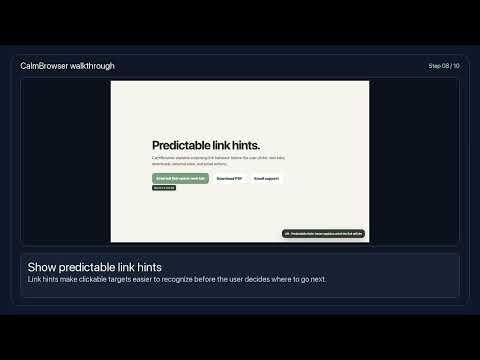
CalmBrowser gives you control over how stimulating and predictable the web feels. Built with autistic users in mind — and helpful for anyone who finds the modern web too loud, too bright, or too busy — it reduces movement, noise, clutter, and unexpected actions. Because sensory preferences differ from person to person, every feature is an independent, adjustable control. There is no fixed "mode." Autism related people will find it easier to use no current shock or movement. MOTION & SOUND • Pause animations — freezes moving content and GIFs • Block autoplay — video and sound wait for you • Mute sounds — keeps a site silent, even if it tries to unmute VISUAL COMFORT • Soften colours (0–100% slider) • Dim bright & flashing content (0–100% slider) • Hide images — browse without pictures or video READING • Easier-to-read font, text size, line spacing, letter spacing • Page background tint: cream, grey, or dark • Read selected text aloud with your device's voices — choose the voice, speed, and pitch. Fully local, nothing is sent anywhere. ATTENTION • Hide distractions — ads, pop-ups, cookie banners, chat bubbles • Hide anything — click any element to remove it from a site permanently • Focus on one section — spotlight a paragraph while the rest dims • Reading ruler — a calm band follows your cursor • Predictable links — see what a link will do before you click ALWAYS THERE FOR YOU • "Too much" button: Alt+Shift+C instantly applies your calmest settings; press again to restore everything exactly as it was • One-tap presets: Calm, Focus, Reading, Reset • Every setting is remembered separately for each website • Interface in 17 languages, including right-to-left layouts
0 out of 5No ratings
Details
- Version1.0.0
- UpdatedJuly 23, 2026
- Size47.31KiB
- LanguagesEnglish (United States)
- DeveloperWebsite
Email
tigertclbd@gmail.com - Non-traderThis developer has not identified itself as a trader. For consumers in the European Union, please note that consumer rights do not apply to contracts between you and this developer.
Privacy

This developer declares that your data is
- Not being sold to third parties, outside of the approved use cases
- Not being used or transferred for purposes that are unrelated to the item's core functionality
- Not being used or transferred to determine creditworthiness or for lending purposes
Support
For help with questions, suggestions, or problems, please open this page on your desktop browser