


總覽
Suite applications for word processing, spreadsheets, presentation and graphics with email client
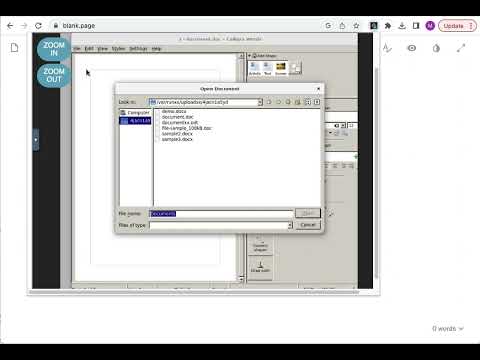
This extension allows to create and edit any office file using the Calligra online app integrated, which is a suite of applications for word processing, spreadsheets, presentation and graphics. This extension allows to handle the OpenDocument formats and it can also import other formats, including Microsoft Office formats. This Calligra suite office includes the following office components: * Words, which is a word processor application with desktop publishing features. It makes it easy to create rich documents with images, tables, and more. Open and save ODF, and open Microsoft Office Word files .doc and .docx files. * Sheets, which is a fully-featured spreadsheet application. It is a calculation and spreadsheet tool with a comprehensive formula list, default templates, and use shapes for notes or create flowcharts and mindmaps. Open and save ODS, and open Microsoft Office Excel files .xls and .xlsx files. * Stage, which is a powerful and easy to use presentation application. It provides tools to make creating slides using images, videos, animation and other special effects easy. It is extensible through a plugin system. Open and save ODP, and open Microsoft Office Powerpoint files .ppt and .pptx files. * Krita, which is a creative sketching and painting application based on Calligra technology. It is valid for creating concept art, comics, textures for rendering and matte paintings. Krita supports many colourspaces like RGB and CMYK at 8 and 16 bits integer channels, as well as 16 and 32 bits floating point channels. Please refer to the video in order to know how to use the extension. IMPORTANT: This extension scans the URLs browsed in order to detect Calligra compliant files. The Calligra compliant files detected appear in a list located in the extension popup that are retrieved from our servers. The scanning is performed from our servers so your URL are reported to our system. No personal data is collected. This scan can be disabled with a checkbox that appears in the extension popup. If you disable this scanning, this functionality is not available so then the extension functionality is very limited.
2.5 分 (滿分 5 分)108 個評分
詳細資料
隱私權

「Calligra online - office, graphics & email」已揭露下列關於收集及使用資料的資訊。 如需更多詳細資訊,請參閱開發人員的《privacy policy》。
Calligra online - office, graphics & email 會處理下列資料:
這位開發者就你的資料做出下列聲明:
- 除經核准的用途外,不會將你的資料販售給第三方
- 不會基於與商品核心功能無關的目的,使用或轉移資料
- 不會為了確認信用度或基於貸款目的,使用或轉移資料
支援
如有疑問或建議,請使用電腦版瀏覽器開啟這個頁面