

Call From Browser: Click-to-Call

Overview
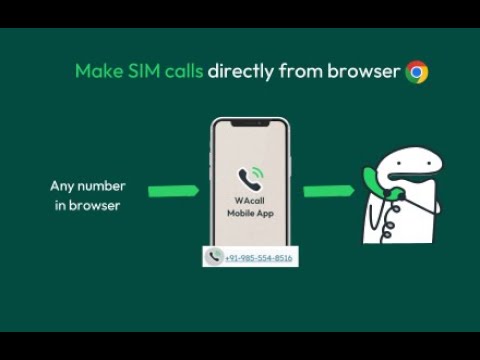
Add a call button to every number in the browser. One click and your mobile dials the number instantly through your SIM.
Stop typing phone numbers manually. Start calling with one click. Call from Browser transforms every phone number on the web into an instant click-to-call button. Hover over any number, click the call icon, and your phone rings the contact automatically using your mobile SIM—no copy-pasting, no manual dialing, no wasted time. Why Call from Browser? ✅ One-Click Calling – Hover over any phone number and click to call instantly ✅ Uses Your Real SIM – Calls go through your mobile carrier, not VoIP ✅ Works Everywhere – Detects numbers on any website, email, or web app ✅ No Desktop Phone Needed – Your smartphone does all the work Perfect For: 👉 Sales professionals making dozens of calls daily 👉 Customer support teams responding to inquiries 👉 Recruiters reaching out to candidates 👉 Anyone tired of manually dialing numbers from their screen Simple 5-Minute Setup: 👉 Install this Chrome extension 👉 Download the free WAcall mobile app (iOS/Android) 👉 Open the extension and generate your one-time verification code 👉 Enter your phone number and code in the WAcall app Done! Hover over any number and click to call How It Works: 👉 The extension scans web pages for phone numbers and adds a discreet call icon. 👉 When you click it, the WAcall app on your phone initiates the call through your regular mobile network. Recipients see your real caller ID—just like a normal phone call. Save Hours Every Week The average person wastes 2-3 seconds per manual dial. If you make 50 calls a day, that's over 2 hours per month spent just typing numbers. Call from Browser eliminates this friction completely. Privacy & Security ✅ Your calls go through your own carrier ✅ No call recordings or logs stored ✅ Minimal permissions required ✅ Your phone number stays private
4.7 out of 5268 ratings
Details
- Version2.0.0
- UpdatedSeptember 6, 2026
- Size5.57MiB
- LanguagesEnglish (United States)
- DeveloperWebsite
Email
berry@watext.me - Non-traderThis developer has not identified itself as a trader. For consumers in the European Union, please note that consumer rights do not apply to contracts between you and this developer.
Privacy

This developer declares that your data is
- Not being sold to third parties, outside of the approved use cases
- Not being used or transferred for purposes that are unrelated to the item's core functionality
- Not being used or transferred to determine creditworthiness or for lending purposes
Support
For help with questions, suggestions, or problems, please open this page on your desktop browser