


개요
CalendarPlant is a free tool that generates Google calendars from a set of potentially prioritized and repeating time frames.…
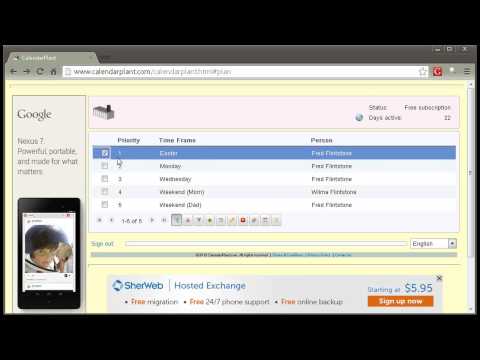
CalendarPlant is a free tool that generates Google calendars from a set of potentially prioritized and repeating time frames. Once a calendar is generated it can be used or shared just like any other calendar you have constructed by hand in your Google account. CalendarPlant uses Google authentication to log you on and remembers any CalendarPlant data you have constructed in a previous session. Because CalendarPlant creates Google calendars in your Google account, it asks for permission to do this. If you do not grant permission you can still use CalendarPlant but you will not be able to publish calendars. Prioritized Time Frames CalendarPlant is especially useful for constructing calendars that are derived from a set of prioritized rules. For example Parenting plans that can be comprised of repeated time frames potentially preempted by higher priority time frames. Some examples are A Parenting plan where Dad will have parenting time every other weekend, but also indicates this time will be preempted if it is on Mother’s Day, or falls on Mom’s Summer Vacation Week. A calendar describing the use of a softball field. The local Men’s league uses the field every Monday, except on a holiday when it is open up to the public, or unless the town’s high school team has a game on that day. A calendar describing the use of a conference room where different groups of people have repeating meetings that are potentially preempted at times by other groups with higher priority. Non Prioritized Time Frames If the prioritization of time frames is not needed then it can be turned off. For example if you wish to construct a work shift calendar you can say that Bob works every weekday from 8:00 AM to 4:00 PM and that Jane works on Tuesdays from 12:00 PM to 6:00 PM. If two people are scheduled to be working at the same time then they will both appear on the calendar.
5점 만점에 4점평점 3개
세부정보
개인정보 보호

지원
질문, 제안 또는 문제와 관련하여 도움이 필요하면 데스크톱 브라우저에서 이 페이지를 여세요.