

Calendar Jira Sync
5.0(
8 ratings
)ExtensionTools30 users

Overview
Sync Jira tasks with Google Calendar
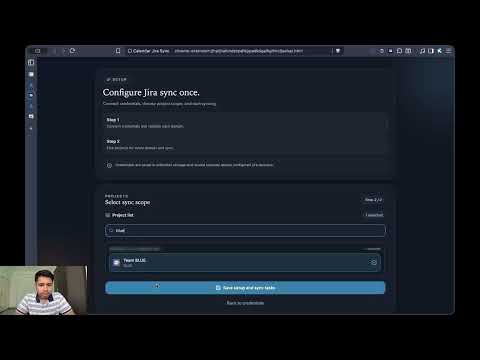
Calendar Jira Sync links your Google Calendar workflow to Jira without jumping tabs. After setup, it syncs selected Jira projects, lets you search and attach issues directly from the Calendar event view, and logs completed event time as Jira worklogs by overlap duration. Keep statuses up to date with quick transitions, then backfill or reset logged work for any date from Calendar—without managing a separate time-tracking sheet.
5 out of 58 ratings
Details
- Version1.2.1
- UpdatedMarch 25, 2026
- Offered byauenkr
- Size245KiB
- LanguagesEnglish
- Developer
Email
support@auenkr.com - Non-traderThis developer has not identified itself as a trader. For consumers in the European Union, please note that consumer rights do not apply to contracts between you and this developer.
Privacy

Manage extensions and learn how they're being used in your organization
The developer has disclosed that it will not collect or use your data.
This developer declares that your data is
- Not being sold to third parties, outside of the approved use cases
- Not being used or transferred for purposes that are unrelated to the item's core functionality
- Not being used or transferred to determine creditworthiness or for lending purposes
Support
For help with questions, suggestions, or problems, visit the developer's support site